Encountered something unexpected?
Here are a few helpful hints.
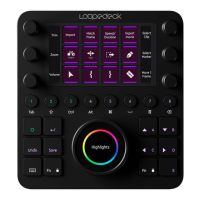
I connected Loupedeck+ to my computer and opened Premiere Pro,
but nothing happens?
You have to select Loupedeck as your control surface. Go to:
EDIT -> Preferences -> Control Surface
From Device class, select: Loupedeck
Also, what is your operating system?
Loupedeck for Premiere Pro using configuration software 2.4 (or newer) is com-
patible with Windows® 10 or later, Windows® 8.1, Windows® 7, and Mac® OS
10.12 or later.
You can find FAQs and support at www.loupedeck.com/support
THIRD PARTY TRADEMARKS AND ITEMS
Adobe Photoshop Lightroom CC and Adobe Premiere Pro CC is Copyright ©
2018 Adobe Systems Incorporated. All rights reserved.
Mac OS is a trademark of Apple Inc., registered in the U.S. and other countries.
Windows is a registered trademark of Microsoft Corporation in the United
States and/or other countries.
Copyright (c) 2018 Loupedeck Ltd. All rights reserved.
Visit our website for further support and information at www.loupedeck.com.
QUESTIONS?


 To Next Page