
 Need help?
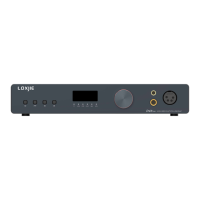
Do you have a question about the Loxjie D40 PRO and is the answer not in the manual?
Provides instructions on connecting the device via Bluetooth.
Describes how to set different input sources for the device.
Describes how to configure the output modes of the device.
Explains the different PCM filter options available for audio processing.
Details available DSD filter settings with cutoff frequencies.
Explains the gain settings for the audio output.
Explains DPLL settings for balancing clock jitter and input tolerance.
Describes I2S interface settings, including normal and inverted phases.
Explains audio phase settings and their normal/inverted configurations.
Details how to adjust the display brightness.
Provides instructions on playing MQA audio files and streams on the device.
Offers important considerations for playing MQA-CDs correctly.
Explains the power status light.
Describes LEDs for MQA, DSD, and LDAC signal formats.
Explains LEDs indicating BALANCED and Headphone output status.
 General
| DAC Chip | ES9038Q2M |
|---|---|
| USB Chip | XMOS XU208 |
| Inputs | USB, Optical, Coaxial, Bluetooth |
| Type | DAC/Headphone Amplifier |
| Outputs | RCA, XLR, 6.35mm Headphone |
| Bluetooth Codec Support | SBC, AAC, aptX, aptX HD, LDAC |
| Supported Sampling Rates | PCM up to 768kHz |

 To Next Page