Need help?
Do you have a question about the LOXONE Touch Air and is the answer not in the manual?
Specifies the battery type used for the device.
Details the wireless communication protocols and channels supported.
Defines the operational temperature range for the device in Celsius and Fahrenheit.
States the maximum non-condensing relative humidity level for operation.
Describes the number and type of touch-sensitive zones on the device.
Indicates whether tactile feedback is provided upon touch activation.
Specifies the operating range and accuracy of the integrated temperature sensor.
Specifies the operating range and accuracy of the integrated humidity sensor.
Indicates the Ingress Protection (IP) rating for dust and water resistance.
Provides the physical size of the device in millimeters and inches.
Outlines recommended maintenance and cleaning procedures for the device.
Lists the key attributes including touch zones, sensors, and feedback options.
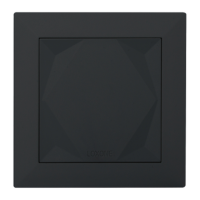
The Loxone Touch Air is a versatile smart home control device designed to offer intuitive interaction with various home automation functions. It integrates seamlessly into the Loxone smart home ecosystem, providing a user-friendly interface for controlling lighting, music, blinds, and more.
At its core, the Loxone Touch Air serves as a multi-functional input device, allowing users to interact with their smart home system through touch. It features five distinct touch zones, which can be custom-configured to suit individual preferences and specific automation needs. The large central touch zone is typically optimized for controlling lighting, offering a prominent and easily accessible point of interaction for the most frequently used function. The four corner zones, on the other hand, are ideal for secondary controls such as managing music playback, adjusting blinds, or triggering other custom scenes or actions within the smart home. This design philosophy ensures that essential controls are readily available, while more specific functions are also easily accessible.
Beyond its primary role as a touch interface, the Loxone Touch Air is equipped with integrated temperature and humidity sensors. These sensors enable the device to monitor the environmental conditions of the room where it is installed. This data can then be utilized by the Loxone Miniserver to automate climate control, heating, ventilation, and air conditioning (HVAC) systems, ensuring optimal comfort and energy efficiency. For example, if the temperature exceeds a certain threshold, the system could automatically activate air conditioning or open blinds to cool the room. Similarly, if humidity levels are too high, a ventilation system could be triggered. This integration of environmental sensing capabilities transforms the Touch Air from a simple control panel into an intelligent component of a comprehensive climate management system.
The device communicates wirelessly using Loxone Air technology, which operates on specific radio frequencies depending on the region (868MHz for Europe and 915MHz for Region 2). This wireless connectivity simplifies installation by eliminating the need for extensive wiring, allowing for flexible placement anywhere within the home. The Loxone Air protocol ensures reliable and efficient communication with the Loxone Miniserver, which acts as the central hub for all smart home devices.
The Loxone Touch Air is designed for ease of use and installation. Its five touch buttons provide a tactile and responsive interface. An optional click feedback feature enhances the user experience by providing an audible or haptic confirmation when a touch is registered, ensuring that users know their input has been acknowledged. This feedback mechanism is particularly useful in situations where visual confirmation might not be immediately apparent.
Installation of the Loxone Touch Air is straightforward. It involves mounting a dedicated frame to the desired wall location. Once the frame is in place, the device is powered by a provided battery, which offers the convenience of wireless operation and eliminates the need for a constant power supply connection. After the battery is inserted, the device can be easily paired with the Loxone Miniserver using the Loxone Config software. This pairing process establishes the wireless connection and allows the Miniserver to recognize and communicate with the Touch Air. Once paired and configured, the Loxone Touch Air simply attaches to the mounting frame, completing the physical installation. The wireless nature of the device, coupled with battery power, offers significant flexibility in placement, allowing users to install it in locations where running wires would be impractical or aesthetically undesirable.
The device's configuration is managed through the Loxone Config software, which provides a powerful and flexible platform for customizing the functionality of each touch zone. Users can assign specific actions, scenes, or controls to each of the five touch points, tailoring the device to their unique needs and preferences. For instance, a single tap on the central zone could toggle the main room lights, while a double tap could activate a "movie night" scene that dims the lights, closes the blinds, and turns on the entertainment system. The corner zones could be configured for volume control, track skipping, or individual blind adjustments. This high degree of customizability ensures that the Loxone Touch Air can adapt to evolving smart home requirements and user habits.
The Loxone Touch Air is designed to be a low-maintenance device. Its construction and internal components are engineered for durability and reliability, minimizing the need for frequent servicing. The device is explicitly stated to be "free of maintenance," indicating that it does not require regular internal checks, lubrication, or component replacements under normal operating conditions.
For cleaning purposes, the device should only be wiped with a dry cloth. This recommendation is crucial to prevent damage to the electronic components or the capacitive touch surface. Using wet cloths, abrasive cleaners, or chemical solvents could potentially degrade the device's performance, damage its finish, or interfere with its touch detection capabilities. The simple cleaning instruction underscores the device's robust design and the minimal effort required to keep it in good condition.
The battery-powered operation means that the primary maintenance task for the user will be battery replacement. While the manual does not specify the battery life, wireless, battery-operated devices typically offer extended periods of operation before a battery change is necessary. The Loxone system often provides notifications when battery levels are low, allowing users to replace the battery proactively and avoid interruptions in functionality.
Overall, the Loxone Touch Air is a sophisticated yet user-friendly device that combines intuitive touch control with environmental sensing capabilities, all within a low-maintenance and wirelessly connected package. Its flexibility in configuration and ease of installation make it a valuable addition to any Loxone smart home setup, enhancing both convenience and control.
 General
| Protection Class | IP20 |
|---|---|
| Battery Type | AAA |
| Radio Frequency | 868 MHz |
| Operating Temperature | 0°C to 45°C |
| Connectivity | Loxone Air |
| Humidity | Max. 85% relative humidity (non-condensing) |


 To Next Page