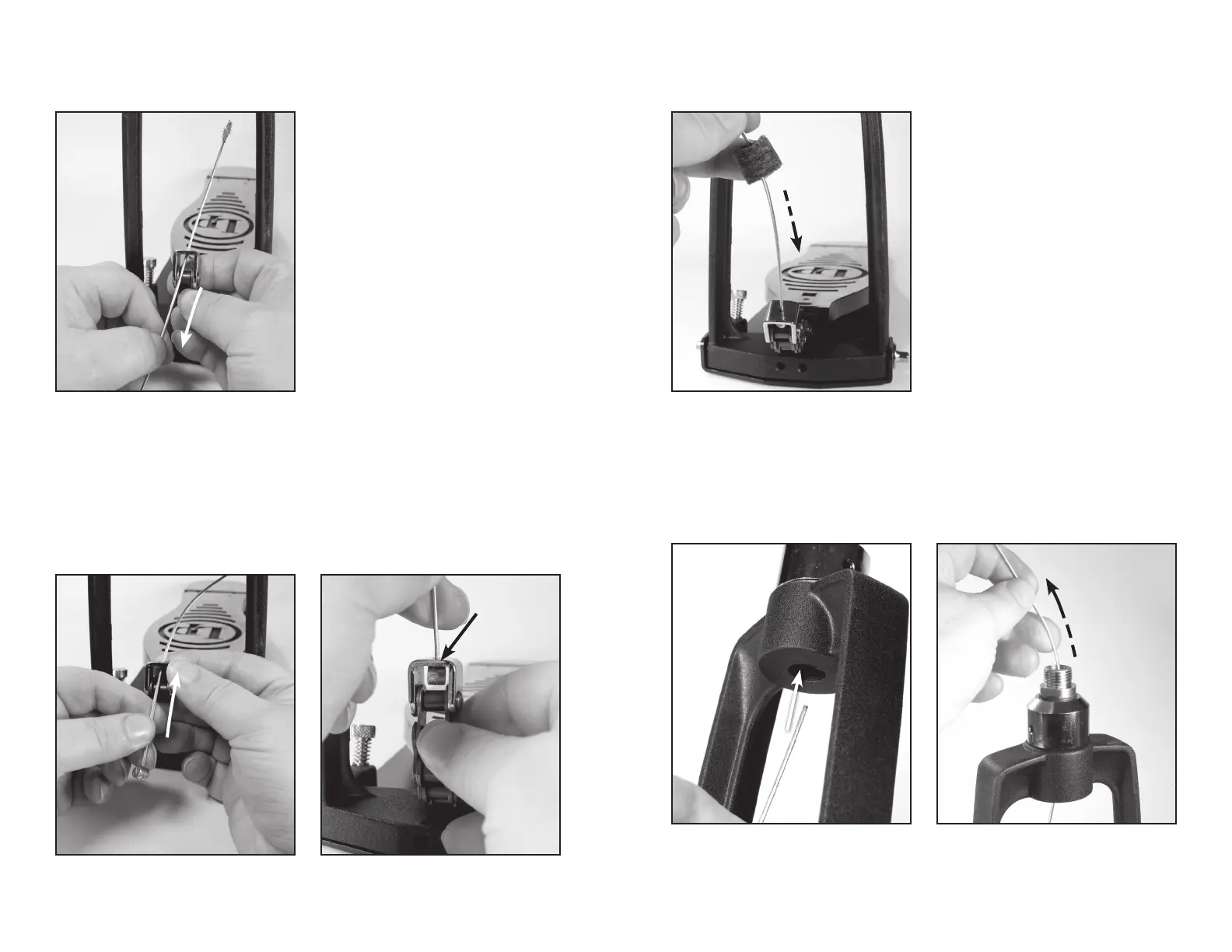
Figure 10.1
Figure 12.1
Figure 9.1 Figure 11.1
Figure 10.2
Figure 12.2
STEP 9
Pull the entire steel cable through the chain attachment link, and all the way out of the channel at the
top of the pedal frame (see Figure 9.1). Discard the old cable.
STEP 11
Slide the felt washer onto the new cable, all the way down to the footboard chain, as shown in
Figure 11.1.
STEP 10
Thread the NEW steel cable up through the hole in the footboard chain attachment link, as shown
in Figure 10.1. Pull the cable all the way through the hole, until the cable stopper catches inside the
attachment link. Push gently on the cable stopper until it is completely inside the attachment link and
catches, as pictured in Figure 10.2.
STEP 12
Insert the new cable underneath the channel at the top of the footboard frame, as shown in Figure
12.1. Push the cable up through the channel and pull it out through the top hole, as shown in Figure
12.2.
8 9
Remove cable
Insert cable
Pull cable through
Stopper will catch here
Slide



 To Next Page