LS VISION TECHNOLOGY CO.LTD
LS VISION, Only for Quality Life! www.lsvisionhd.com
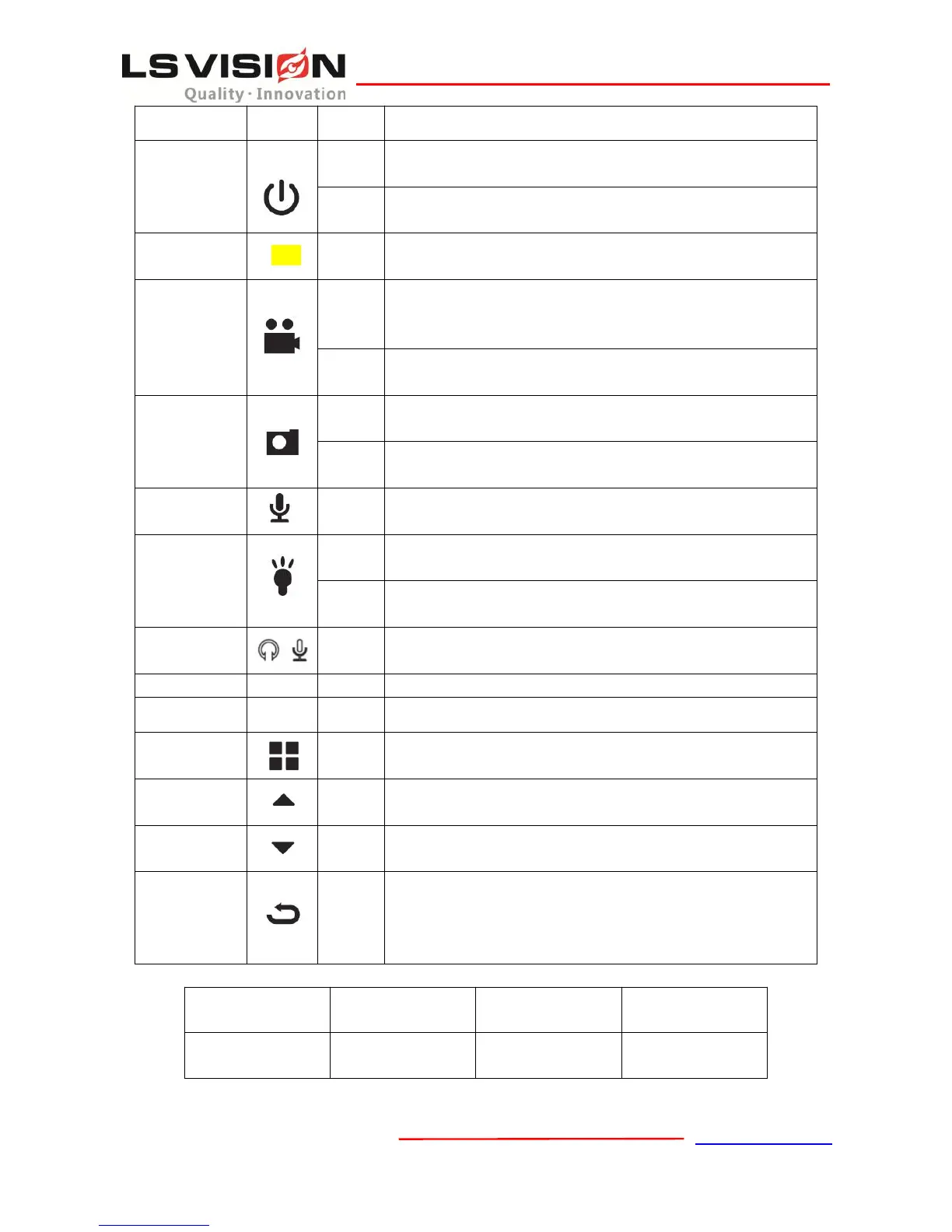
①When device is ON, turn on/off the monitor.
②When device is OFF, power on device.
①When device is ON, short press will start recording video, short
press again will stop recording and save video files.
②When device is OFF, short press will power on the device.
Long press for over 3 seconds will start a panic alarm and this
alarm can be sent through 3G/4G to server.
When device is ON, short press can make the device to take one
picture and save the picture.
Long press will turn on the flash light.
When device is idle, short press will start recording audio, press
again will stop recording and save the audio.
When device is idle, short press will turn on the laser light. The
laser light is used for locating the direction of the camera.
When device is idle, long press will turn on the IR for recording at
night. (When the IR switch is in manual mode)
Multifunction
al interface
For connecting with earphone, mic, intercom and car usb charger
etc.
Insert SIM card for 3G/4G connection
Data transmitting, Charging
①Short press to display the main menu in the monitor.
②Short press to confirm what you have selected.
①When menu is displayed, short press will return back to the
upper level menu.
②When device is idle, short press will show the play back menu
and user can choose to play the video files, pictures, audio files.


 To Next Page