4.5 Ethernet Setting
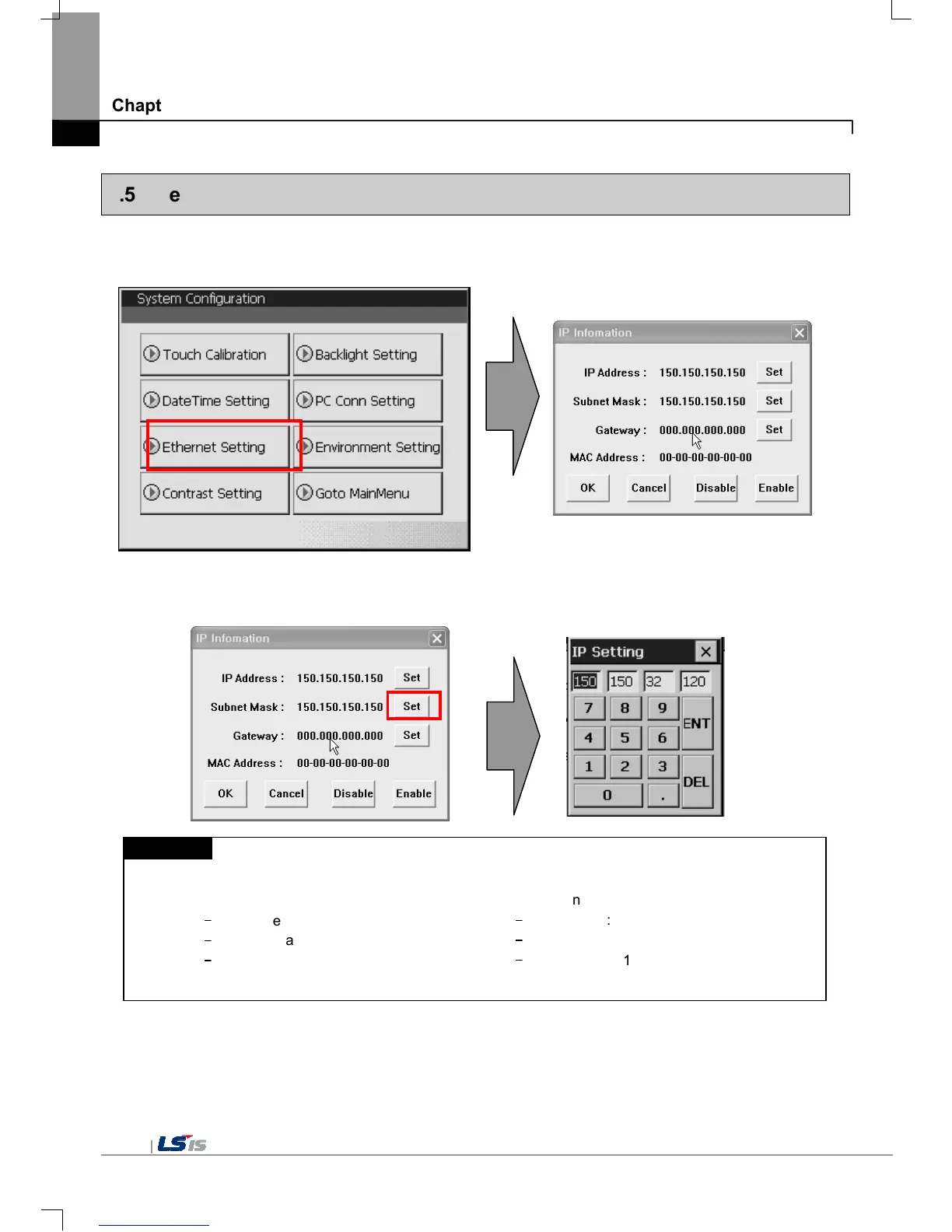
If you press [Ethernet Setting] button in [System Configuration] screen as follows, you can change IP to use Ethernet.
You can change IP address by pressing [Set] button of each IP address, Subnet Mask and Gateway. By pressing OK button,
changed IP information is reserved.
Remark
We recommend the following method, when connecting with PC solely.
Ethernet is not supported on XP30-BTE
If you reboot after pressing [Disable] button, the device will not use Ethernet. In this case, booting speed gets faster. If you
use Ethernet again, reboot after pressing [Enable].
1) XGT Panel setting
-
IP Address : 192.168.0.10
-
Subnet Mask: 255.255.255.0
-
Gateway : 192.168.0.1


 To Next Page