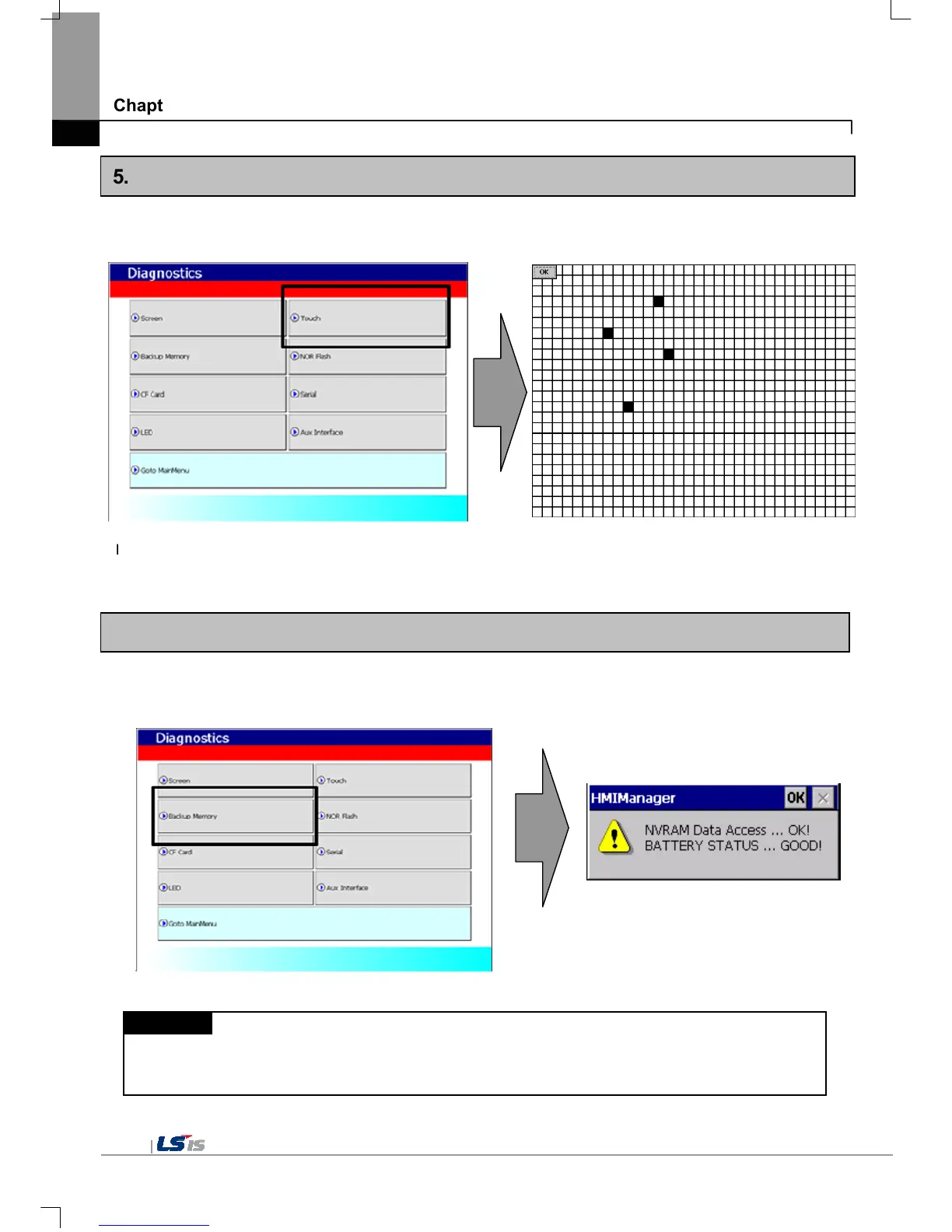
5.2 Touch Diagnosis
If you touch the screen, the touched location is displayed as follows. If pressing the [OK] button, you can quit the screen.
If the touched location is not correct, reset the Touch setting. For detailed information, please refer to the Chapter 4. System
Configuration.
5.3 Backup Memory Diagnosis
If you press [Backup Memory] button, you can see the result of diagnosis in the result windows.
Remark
(1) If ‘NVRAM Data Access … Fail’ error is occurred, please contact with customer service center.
(2) If ‘BATTERY STATUS … BAD’ error is occurred, battery should be changed. Please contact with Customer service
center.


 To Next Page