Appendix 1. Troubleshooting
App.1-3
4. Display Problem of Figure and Object
The shape of object is not shown or the number or character value which has to be shown is not shown.
Phenomenon: The shape of object is not shown or the number or character value which has to be shown is not shown.
<Reason>
The connection with PLC connected with each project is disconnected or NAK occurs.
<Solution>
1) When the communication is executed at first, Check the cable connected with PLC is OK or not.
2) If object where the offset is set is not shown, check whether address range is exceeded or not.
3) In case that communication is not OK, when communication is abnormal, the following message shows up in the
XGT Panel.
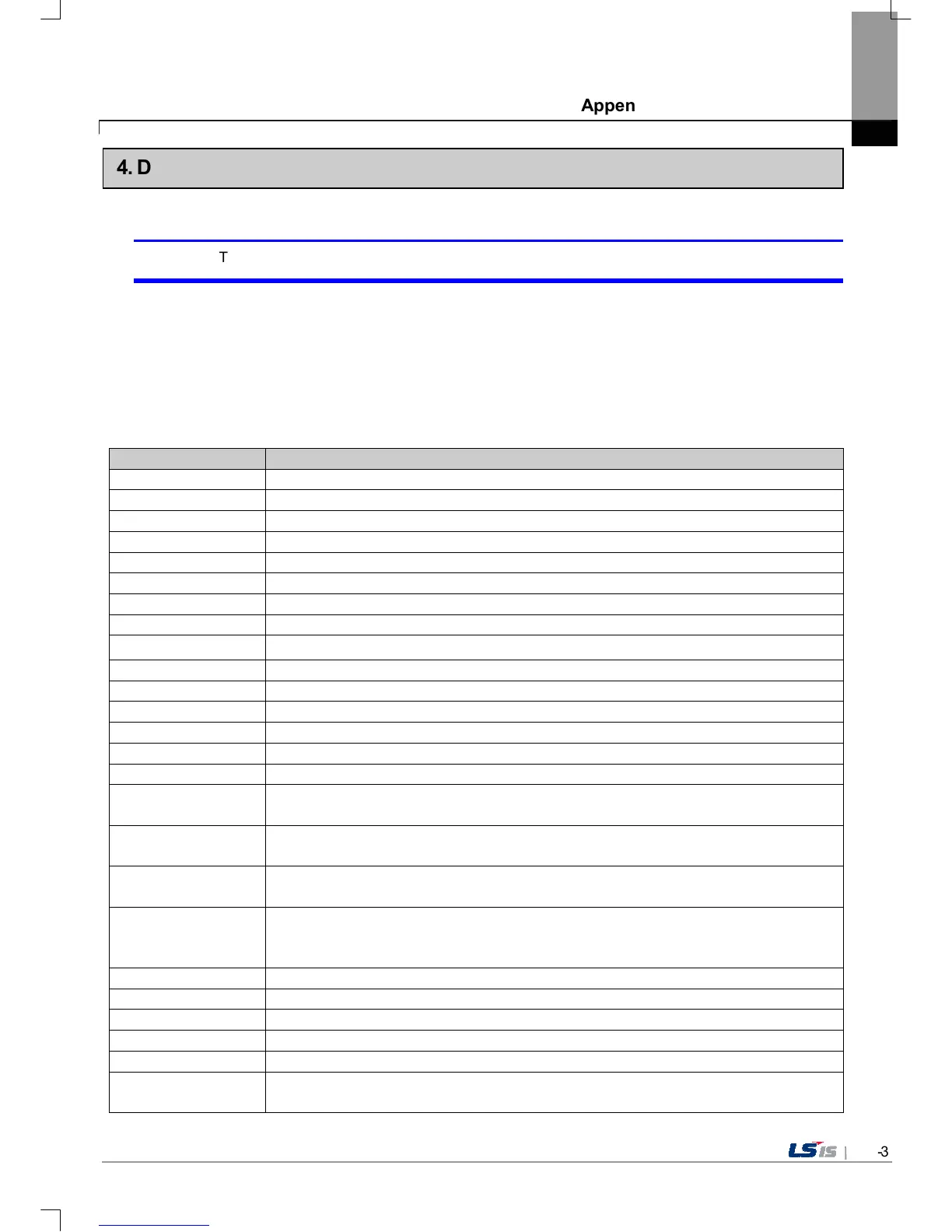
Object type Phenomenon
Bit Switch The switch is expressed but it doesn’t work.
Word Switch The switch is expressed but it doesn’t work.
Change Screen Switch
The switch is expressed but it doesn’t work.
Special Switch The switch is expressed but it doesn’t work.
Multi Switch The switch is expressed but it doesn’t work.
Bit Lamp Image is not shown.
Word Lamp Image is not shown.
N-State Lamp Image is not shown.
Clock Present time is shown.
Bit Message Message is not shown. When designating the background image, image is shown as it is.
Word Message Message is not shown. When designating the background image, image is shown as it is.
Numeric Display The value is not shown. When designating the background image, image is shown as it is.
Numeric input The value is not shown. When designating the background image, image is shown as it is.
Text Display Character string is not shown. When designating the background image, image is shown as it is.
Text Input Character string is not shown. When designating the background image, image is shown as it is.
Bit Window The window screen set in the object is not shown. But if communication is set with other object in
the same window screen, it can be shown by that object.
Word Window The window screen set in the object is not shown. But if communication is set with other object in
the same window screen, it can be shown by that object.
Bit Part The part screen set in the object is not shown. But if communication is set with other object in the
same part screen, it can be shown by that object.
Word Part The part screen set in the object is not shown. But if communication is set with other object in the
same part screen, it can be shown by that object.
Animation Animation is not shown.
Bar Graph Graph is not shown. When designating the background image, image is shown as it is.
Pie Graph Graph is not shown. When designating the background image, image is shown as it is.
Meter Graph Graph is not shown. When designating the background image, image is shown as it is.
Closed Graph Graph is not shown. When designating the background image, image is shown as it is.
Trend Graph X, Y axis is shown normally but trend axis is not normally shown. When designating the
background image, image is shown as it is.


 To Next Page
 Loading...