Appendix 1. Troubleshooting
App.1-7
7. Error Message during Execution of Program
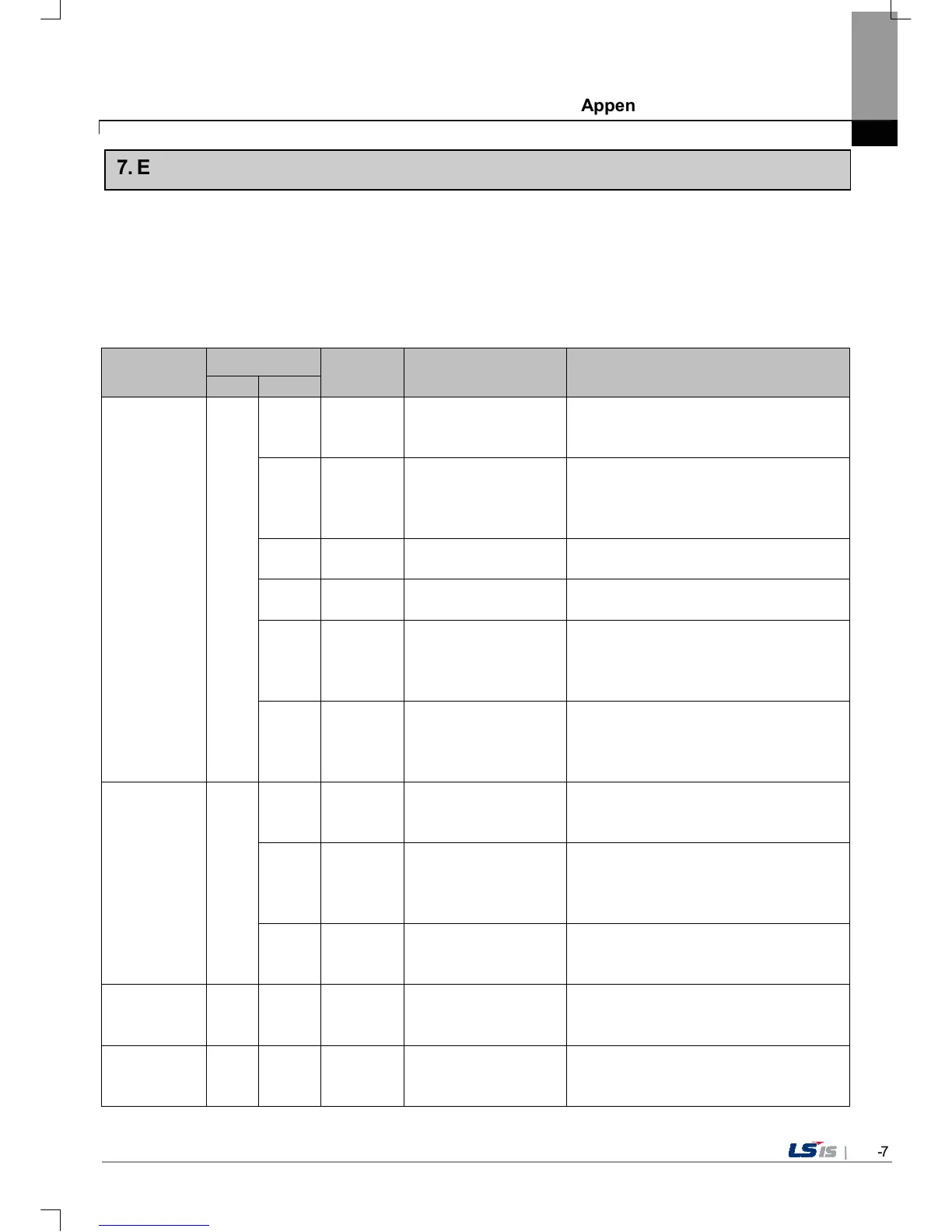
In case that problems occur during execution of XGT Panel including the start of device, diagnosis of device and environment
setting, project download, monitoring of control device, and error messages occur as type of box. At this time the message
indicates the code made by 4 digit number. The front 2 number indicate code of object and work, the rear 2 number is
message number. In case that the present error message is indicated as [0101], an error message occurs when doing
diagnosis about the status of NVRAM. When an error message occurs, refer to the row’s number and sequence and find the
category of reason and measure.
Object
Error code
Occurrence
location
Error message Reason and measure
Type Address
Device
diagnosis
0x01
NVRAM Data Access ...
FAILED!
Failed to check whether backup memory is
normal or not. If this symptom is repeated,
contact the near Customer Service Center.
0x02 XGT Panel
BATTERY STATUS ...
NOT GOOD!
Backup data is not valid. If this symptom is
repeated when turning power off and on,
remove XGT Panel’s power and exchange
the battery.
0x03 XGT Panel
Write Operation
FAILURE!
The built-in Flash disk has an error. Contact
the near Customer Service Center.
0x04 XGT Panel
Read Disk Information
Error!
The built-in Flash disk has an error. Contact
the near Customer Service Center.
0x05 XGT Panel
Write Operation
FAILURE!
Check that CF card is empty, and equip CF
card and test again. If same symptom is
repeated, CF card or CF card slot of XGT
Panel may have a problem.
0x06 XGT Panel
Read Disk Information
Error!
Check that CF card is empty, and equip CF
card and test again. If same symptom is
repeated, CF card or CF card slot of XGT
Panel may have a problem.
Device setting
Invalid timeout value.
You inputted the wrong time which is not
within backlight setting time range. Input the
effective time.
0x02 XGT Panel
Not found XGT Panel
configuration file.
There is no setting information data of XGT
Panel. If this symptom is repeated when
turning power off and on, contact the near
Customer Service Center.
0x03 XGT Panel
Please enter an integer
between 0 and 255.
When setting IP, the values within 0~255 are
effective. Input the value within the above
range.
Viewing device
information
0x03
Now, there is no downloaded project so you
can’t see connection information. Download
the project from XP-Builder.
XGT Panel
Update
0x04
Failed to Start engine.
Please update engine
again.
Because of update error or Flash disk error,
program can’t be executed. If you can update,
redo the above procedure. If you can’t,


 To Next Page
 Loading...