Need help?
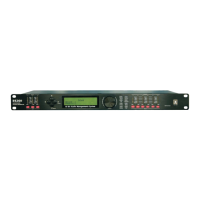
Do you have a question about the LSS DX-480 and is the answer not in the manual?
A comprehensive list of safety guidelines for operating the LSS DX series equipment, covering usage, environment, and handling.
Details about the USB Type B connector and its driver requirements.
Functionality of mute/unmute keys, channel editing, and channel linking.
Explanation of the Peak Level LED indicators for signal status and limiter function.
Overview of the 8 "One Touch" keys for accessing specific functions like Signal, EQ, Xover.
Describes the function of the rotary thumb wheel for parameter adjustment and confirmation.
Details about the 4-line x 32-character backlit LCD display for unit information.
Explanation of the 4-way cursor control for navigating menus and options.
Connection details for the main power via an IEC socket and voltage compatibility.
Specifies the type and rating of the main fuse (T2.5A-250V, slow blow).
Describes the function of the power switch for controlling unit power.
Information on RS485 for remote control and connecting multiple devices.
Details about the 3-pin XLR connectors for audio I/O and pinout configuration.
How to link multiple input/output channels for simultaneous parameter modification.
Details on adjusting Gain, Polarity, and Delay for input/output channels.
Explanation of EQ settings including EQ#, Level, Frequency, Bandwidth, and Type.
Details on crossover filter types and parameters like cut-off frequency and slope.
Configuration of the output limiter, including Threshold, Attack, and Release times.
How to select and mix input sources for each output channel.
Setting a 6-character name for each input/output channel.
How to recall stored program setups from memory (User/Factory modes).
Procedure for storing current settings as program setups in non-volatile memory.
Instructions for deleting stored program setups from the device's memory.
Configuration options for password, backlight, delay units, device ID, and system information.
Setting the unique Device ID for the unit, ranging from 1 to 250.
Display of firmware version, copyright, and creation date of the unit.
Options for generating Normal mode, Pink Noise, or Tones for testing purposes.
How to set a program name, up to 15 characters long, for stored configurations.
Details on locking/unlocking the unit using a 6-character password, changeable via PC software.
A quick reference guide to parameters, their ranges, steps, and units for Signal, EQ, Crossover, Limiter, and Source.
Introduction to the DxDrive PC control software for remote operation via USB or RS485.
Technical specifications for input/output impedance, maximum level, and balancing.
Details on frequency response, dynamic range, CMRR, crosstalk, and distortion.
Specifications for the processor, sampling rate, analog converters, and propagation delay.
Details on the display, level meters, buttons, menu controls, and dial encoder.
List of connectors including Audio XLR, RS-485, USB, and Power IEC.
Information on power requirements, dimensions, and weight of the device.
Detailed parameters for Gain, Polarity, and Delay settings per I/O.
Specifications for EQ types (Parametric, Hi-shelf, Lo-shelf), Gain, and Bandwidth.
Details on Crossover Filter Types (Butterworth, Bessel, Linkwitz Riley) and Slopes.
Specifications for Limiter Threshold, Attack, and Release times.
System parameters including number of programs, name length, delay units, and frequency modes.
Details on Security Lock functionality and copying channels via PC software.
 General
| Brand | LSS |
|---|---|
| Model | DX-480 |
| Category | Controller |
| Language | English |


 To Next Page