Need help?
Do you have a question about the Ltc Audio LTC-500 and is the answer not in the manual?
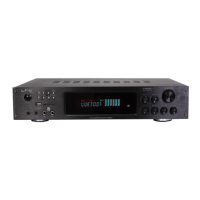
On-off switch for the amplifier.
LED indicating when the amplifier is switched on.
Attenuate the level of the external signal sent to the amplifier channels.
LED indicating when the amplifier is playing music.
LED indicating when the signal is clipping.
Controls for Hi-range, Mid-range, and Low-range of signals.
Allows selection of CD, TV, PC, and Mp3 inputs.
3.5mm jack input for high-level sound sources.
JACK connectors parallel to RCA, enabling daisy-chaining for more power.
BINDING POST connectors with a minimum impedance of 4 Ohms.
Instructions for connecting to the mains supply, including safety checks.
Correct sequence for switching the amplifier on and off to avoid signal peaks.
Guidance on placement for air circulation and protection from environmental factors.
Recommendations for connecting and disconnecting units and handling cables.
Tips to avoid electrical interference and ground loops in the sound system.


 To Next Page
 General