EasyManua.ls Logo

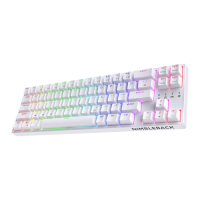
LTC Nimbleback NB-1041 - User Manual

LTC Nimbleback NB-1041
12 pages
Print Icon
To Next Page IconTo Next Page
Loading...
NIMBLEBACK
NB-1041
Question and Answer IconNeed help?

Do you have a question about the LTC Nimbleback NB-1041 and is the answer not in the manual?

Summary

Basic Information

Wired Connection

Macro Setting

Enter and Select Macro Key

Enter macro mode via FN+Tab and select macro keys using Fn+Z/X/C.

Record, Save, and Exit Macro

Record key sequences, save, and exit macro recording mode.

Backlight Control

Backlight Mode and Brightness

Shift backlight modes and adjust brightness using Fn key combinations.

Backlight Color and Speed

Switch backlight colors and adjust speed with Fn key combinations.

Multimedia Key Functions

Windows Multimedia Keys

Utilize Fn key combinations for multimedia functions on Windows.

Mac Multimedia Keys

Utilize Fn key combinations for multimedia functions on Mac.
Services and Support

LTC Nimbleback NB-1041 Specifications

General IconGeneral
BrandLTC
ModelNimbleback NB-1041
CategoryKeyboard
LanguageEnglish