
 Need help?
Do you have a question about the LTIME BUSPAD BP-10 and is the answer not in the manual?
Details hardware specifications for BP-9 and BP-10 models including CPU, memory, and storage.
Lists software configuration details like operating system, browser, supported video/audio formats, and picture formats.
Identifies and describes the function of various ports and buttons on the front, right, and back views of the terminal.
Details the steps and components for installing the intelligent terminal on the rear seat of a bus.
Outlines the process and adjustments for installing the intelligent terminal on the front seat of a bus.
Provides side and top views illustrating the overall equipment installation and wiring connections within the bus.
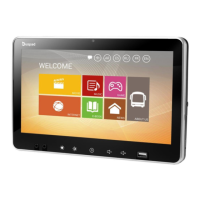
Explains the main interface icons and their corresponding functions, such as Movie, Music, and Game.
Guides users through configuring the Wi-Fi connection to establish communication with the cloud system.
Details how to navigate and play movies from the cloud server, including viewing movie details.
Explains how to access and play music stored on the cloud server, with playback controls.
Describes how to enter the game interface to play local games and access system settings.
Guides users on browsing news information provided by the cloud server.
Shows how to access the internet browser for online surfing, contingent on cloud server support.
Explains how to access and read e-books stored by the cloud server, including various titles.
Provides company introduction, contact details, and website information.
Details how to play multimedia content (music, videos) from a USB flash drive.
Specifies the one-year warranty period from purchase and conditions not covered.
Provides contact information for installation, commissioning, maintenance, and technical support.
 General
| RAM | 2GB |
|---|---|
| Storage | 32GB |
| Operating System | Android |
| GPS | Yes |
| USB Ports | 2 |
| Supported Audio Formats | MP3, WMA, AAC, FLAC |
| Supported Video Formats | AVI/MPEG/MKV/MOV/MP4/WMV/FLV |

 To Next Page