08
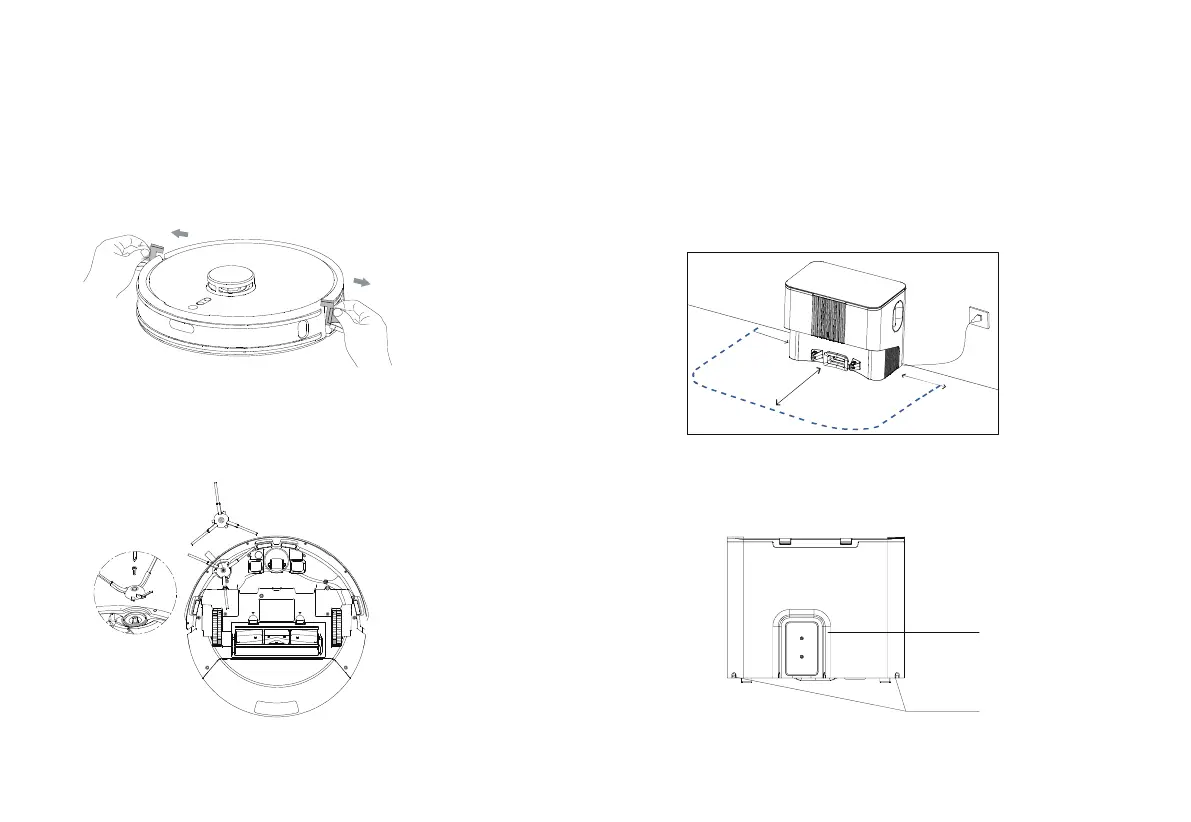
1. Remove the protective strips.
4.
Roll the power cable into the winding bracket to prevent it
being dragged or displaced by the robot.
3. Place the dustbin & charging base on a flat ground against the
wall away from the steps, then power on the charging base.
Note: Keep the base more than 1 meter away from both sides and more than 2 meters
away from the front.
The status indicator will light up when the base is powered on.
2. Align the side brush with the hole and tighten the screw.
Installation and APP Connection
R
Winding bracket
Cable outlet
(on left or right)
>2M
>1M
>1M



 To Next Page