Robot
Introduction
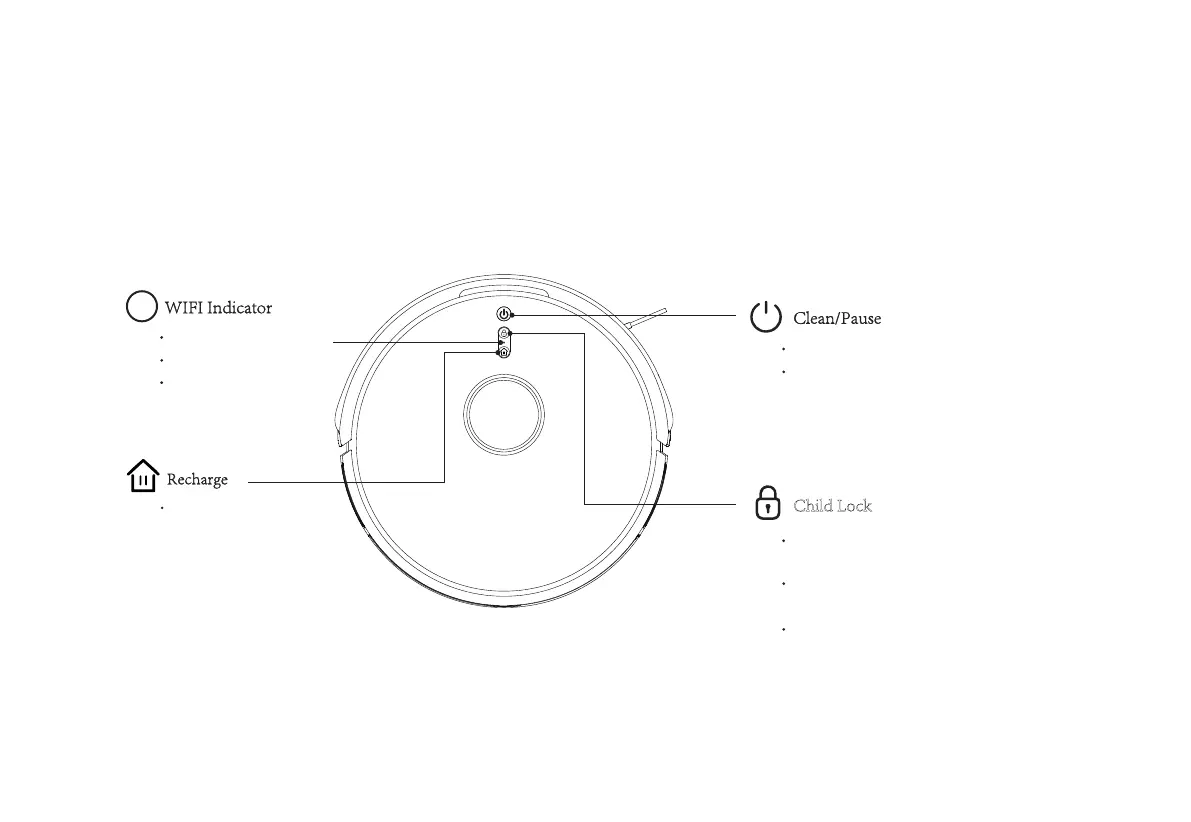
Child Lock
Long press Child Lock for 3 seconds to activate or long
press for 3 seconds again to inactivate the function.
Buttons will be locked to prevent unintended touch if
Child Lock is activated.
Child lock can also be activated or inactivated through
APP (open APP to select More and click Settings to
select Child Lock).
Functional only when the power switch is turned on.
Short Press to Recharge
Light OFF: Offline
Light Flash: Connecting
Light ON: Online
Short press to start Clean/Pause
04



 To Next Page