EasyManua.ls Logo

Lucci fini Beacon UC7076RY - User Manual

Default Icon
49 pages
Print Icon
To Next Page IconTo Next Page
Loading...
Installation Instructions
1 | Page
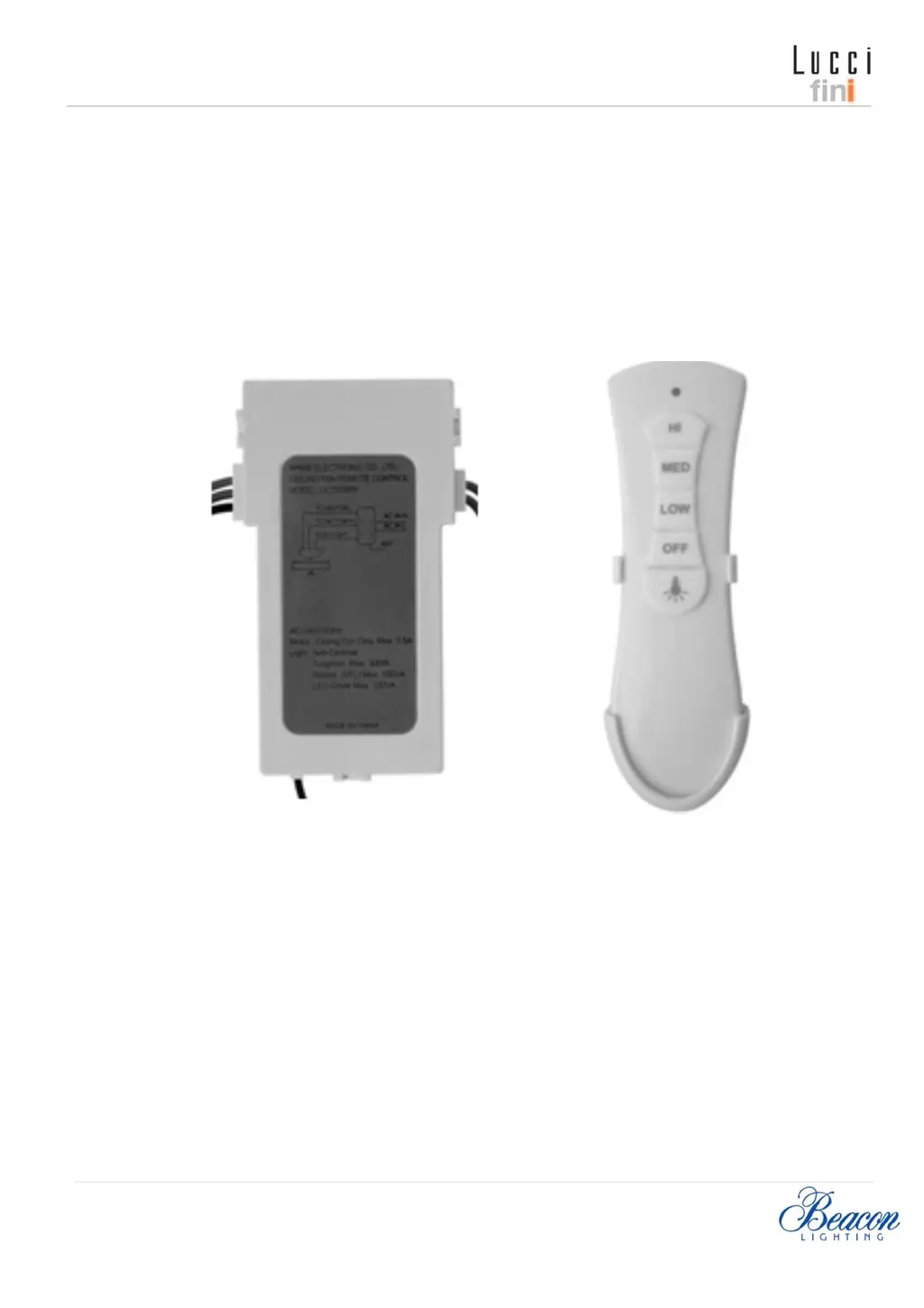
LUCCI Slimline Fan Remote Control
SKU# 210012
GB Installation Instruction Manual ........................................................................................... 2
D Installationsanleitung ......................................................................................................... 8
F Guide d’installation..............................................................................................................17
E Manual de instrucciones de instalación...............................................................................26
I Manuale delle istruzioni di installazione..............................................................................34
NL Installatiehandleiding...........................................................................................................42
Relay Remote Version 1.0- SKU210012– Last updated on September 22, 2013 – © Copyright 2013 – LUCCI

Questions and Answers

  • K
    Kimberly LeeAug 9, 2025
    Why my Lucci fini Remote Control is not working?
    • N
      Nathan FarmerAug 10, 2025
      If your Lucci fini Remote Control isn't working at all, here's what you can check: * Make sure the main power is on by checking the fuse, circuit breaker, and wall switch. * Ensure the wall switch powering the remote is turned on. * Verify the receiver wiring connections match the label and wiring diagram. * Confirm the transmitter and receiver DIP switches are set to the same setting. * Try moving closer to the receiver.
  • C
    Charles HoffmanAug 17, 2025
    How to improve the range of my Lucci fini Remote Control?
    • L
      Lindsey DavisAug 17, 2025
      If your Lucci fini Remote Control only works when you're very close to the fan, it could be due to a few reasons: * The signal might be blocked; try extending the antenna out from the canopy or repositioning it for better reception. * The batteries might be weak; replace them with all new batteries, and avoid mixing old and new ones.
  • D
    Debra AnthonyAug 25, 2025
    What to do if my Lucci fini Beacon UC7076RY Remote Control LED/LCD is not displaying?
    • K
      Katherine AllenAug 25, 2025
      If the LED/LCD on your Lucci fini Remote Control isn't displaying anything, here are a few things to try: * Replace the batteries with all new ones, making sure not to mix old and new batteries. * Ensure the batteries are installed with the correct polarity. * Check the battery compartment for corroded or bent contacts; clean any corrosion and bend the contacts back into place. * Try rolling the batteries to ensure good contact, or try a different brand of batteries.
  • J
    janice94Sep 2, 2025
    How to fix Lucci fini Beacon UC7076RY Remote Control interference with multiple fans?
    • M
      Matthew HollandSep 2, 2025
      If you find that multiple fans are experiencing interference and operating together in the same area when using your Lucci fini Remote Control, the cause is likely RF interference. To resolve this, change the DIP switch settings to a different code, ensuring that each transmitter and receiver pair has a unique DIP switch code.

Summary

Installation Requirements

Installation Preparation

Installation Directions

High Voltage Warning

Crucial safety warning about disconnecting power before electrical work to prevent injury or death.

Making the Electrical Connections

Detailed steps for connecting wires for the fan motor, light, and power supply according to wiring codes.

Installation Notes and Precautions

Important Installation Notes

Key considerations for fan installation, remote suitability, wiring practices, and ceiling pitch limits.

Compatibility and Wall Switch Requirements

Warnings against using incompatible wall controls and the necessity of a double pole ON/OFF switch.

Operating the Remote

Remote Button Functions

Explains the function of each button on the remote control, including speed settings and light control.

Troubleshooting

Technical Information

Lucci fini Beacon UC7076RY Specifications

General IconGeneral
Model NumberUC7076RY
CategoryRemote Control
Power SourceBattery
Control RangeUp to 10 meters
BrandLucci Air / Beacon Lighting
CompatibilityCeiling Fans
FunctionsReverse function

Related product manuals