Advance Printing
Power Up: DLP-523 363-205-401
Page 4 of 6 Issue 7, March 1997
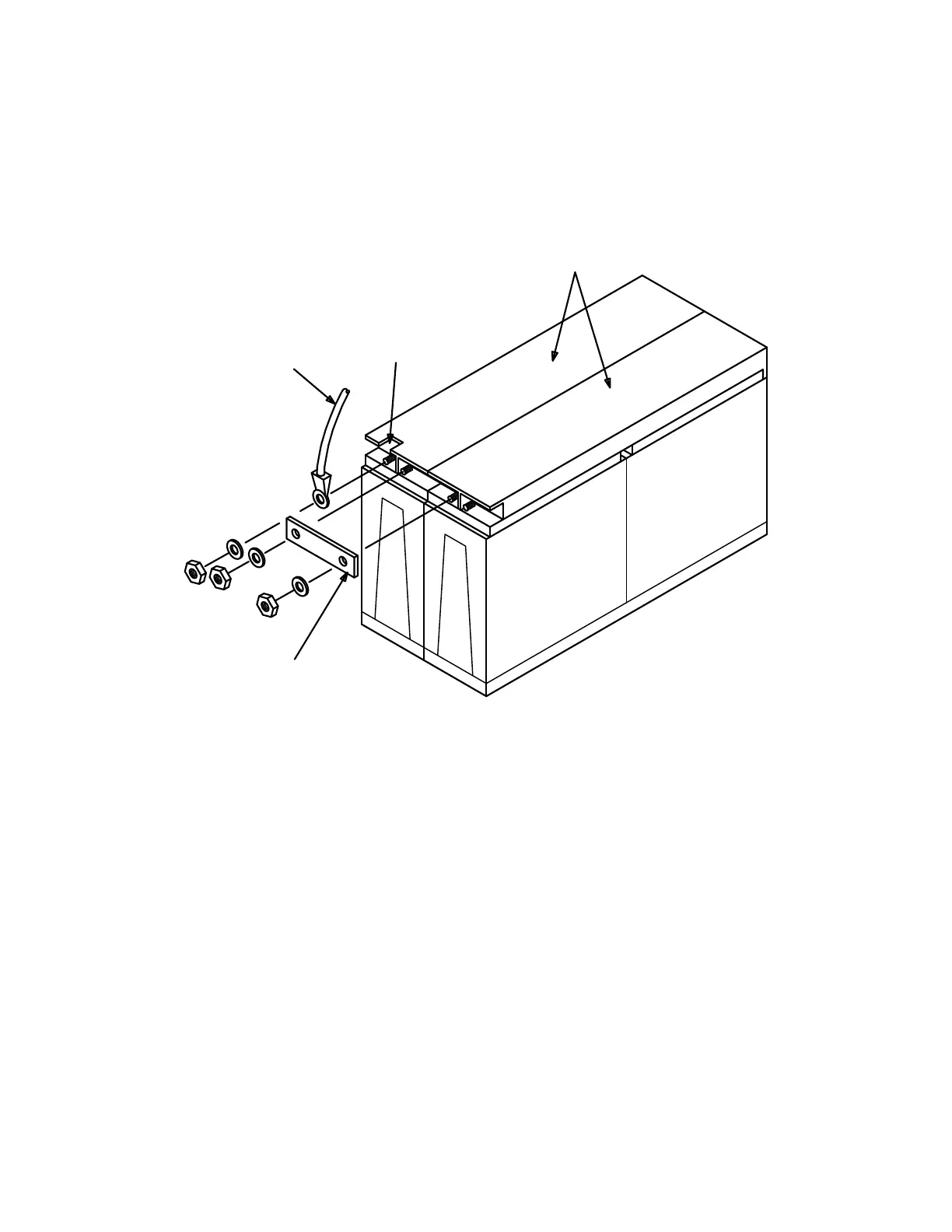
10. Coat inter-battery bus bars with NO-OXid grease and install on the batteries as
shown in Figure 2. Install 1/4 inch lock washer and nut on battery post. Using
insulated torque wrench with the socket, tighten nut to 55 in-lbs torque. Repeat
for each battery post until all 12 batteries are connected together.
Figure 2 – Battery string connections for Lineage 2000 VR Series batteries
11. Cut a notch in the cover of the battery No. 1 (above "−" battery post) and bat-
tery No. 12 (above "
+
" battery post) (see Figure 2). This is required to install
the battery string cable.
12. Connect the battery string cable to battery No. 1 by terminating the lug marked
BAT 1 (
−
)
to the "−" (negative) battery post of the first battery in the string (Fig-
ure 2). Connect the battery string cable to battery No. 12 by terminating the lug
marked
BAT 12 (+)
to the "
+
" (positive) battery post of the 12th battery as
shown in Figure 2. Install the lock washer and nut on the battery posts. Use
insulated torque wrench to tighten the nuts to 55 in-lbs torque.
battery string cable
Break out notch for
battery string cable
Part of Group 63
Interbattery Bus Bar
KS23619, L3 Batteries



 To Next Page