Troubleshooting:
1. If the caller or remote does not seem to be operating properly or the sync function does not seem to be working after
changes have been made to the SD sound card, turn the caller and remote off and remove the batteries from each
unit. Reinstall the batteries and turn the remote and caller back on as described in the operations section.
2. A reboot function is available to resync the remote and call if the connection between the two is lost while hunting or
the sound files are not displayed correctly. Simply press and hold the “auxillarary” button to reboot the remote and
resync. The remote screen should turn blue and go through the “Finding Caller” “Waiting” proces as described in the
Electronic Call Operation section above. DO NOT PRESS ANY BUTTONS WHEN REMOTE IS SEARCHING FOR
THE CALLER.
3. If folders and sounds files from the SD card are not displaying correctly on the remote, press and hold the “Gain”
button for 3 seconds. It will force the caller to copy the contents of the SD card to the internal memory on the caller
and remote. This could take 8-10 mintes. DO NOT PRESS ANY BUTTONS AT THIS TIME.
Lucky Duck™ warrants this product against all manufacturing defects for a period of 1 year from date of purchase.
Proof of purchase is required. Abuse of the product (water damage, dropped, mistreatment etc.) is not covered.
Please return and exchange the defective unit to the store where you purchased the product. If the store will not
accept the return, please email or call customer service at customerservice@luckyduck.com or 715-338-3183.
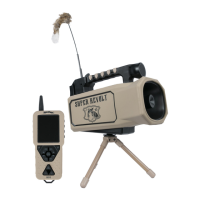
The Super Revolt Remote Layout


 To Previous Page
 Loading...