EasyManua.ls Logo

LUFTMUSIC LM720 - User Manual

Default Icon
9 pages
Print Icon
To Next Page IconTo Next Page
Loading...
Please read through these instructions carefully so you will know how to
operate your model properly.
Thank you for purchasing this
LM720 Marine Bluetooth Stereo
After you have finished reading the instructions, keep this document in a
safe place for future reference.
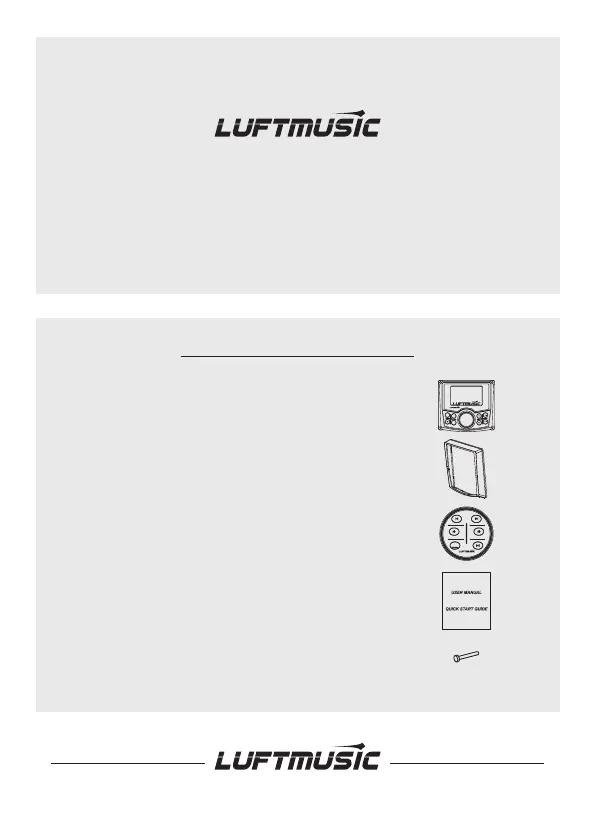
THIS PACKAGE CONTAINS
1-LM720 Marine Stereo
1-1-Trim Bezel
1-Wireless Remote control
1-User Manual
4-Mounting Screws
LM 720
SRC
PRE
SEL
SRC

Questions and Answers

  • M
    Meghan HortonAug 6, 2025
    How to fix LUFTMUSIC LM720 that won't turn on?
    • J
      Jorge EstradaAug 6, 2025
      If your LUFTMUSIC Marine Audio unit isn't powering on, here's what to check: * **Voltage:** Ensure the yellow/red wire is correctly connected and has the proper voltage (11-16V DC). * **Ground:** Verify the black wire is properly connected to ground. * **Fuse:** Inspect the fuse and replace it if it's blown.
  • K
    Kevin FordAug 15, 2025
    Why does my LUFTMUSIC LM720 Marine Audio keep blowing fuses?
    • B
      bwarrenAug 16, 2025
      If your LUFTMUSIC Marine Audio is blowing fuses, consider these potential causes: * **Grounded Yellow/Red Wire:** Check the yellow/red wire for any pinching that might cause it to touch the chassis ground. * **Grounded Speaker Wires:** Inspect the speaker wires to ensure they aren't pinched or touching the chassis ground. * **Incorrect Fuse:** Make sure you are using a fuse with the correct rating for your unit.
  • G
    Gary BrownAug 26, 2025
    What to do if LUFTMUSIC LM720 has power but no sound?
    • A
      Anthony LeonardAug 26, 2025
      If your LUFTMUSIC Marine Audio unit has power but isn't producing any sound, try the following: * **Speaker Wire Connections:** Check the connections at the speakers to ensure they are properly connected. * **Speaker Wire Insulation:** Ensure that all bare speaker wires are insulated from each other and the chassis ground. This prevents shorts that can cut off the sound.

Summary

INSTALLATION

MOUNTING (USING MOUNTING PLATE)

Guide for physically installing the unit using the provided mounting plate.

WIRING DIAGRAM AND CONNECTIONS

Understanding the Wiring Setup

Overview of the wiring diagram and essential connections for unit operation.

RECEIVER CONTROL LOCATIONS

GENERAL OPERATION AND SETTINGS

Audio Setting Adjustment

Instructions for adjusting audio parameters like Bass, Treble, EQ, and Fader.

System Setting Configuration

Procedure for accessing and modifying system parameters like Beep, Reset, and Time.

AM;FM TUNER OPERATION

Advanced Tuner Function Settings

Details on tuner functions including Auto Store, Manual Store, and Area selection.

USB MEDIA PLAYBACK (MP3;WMA)

Track Navigation and Playback Control

How to navigate tracks, play, pause, fast forward, and reverse during USB playback.

BLUETOOTH WIRELESS OPERATION

Device Pairing and Connection

Steps for pairing a smartphone and establishing a Bluetooth connection.

DAB DIGITAL RADIO OPERATION (LM720 D ONLY)

Tuning DAB+ Stations

Instructions for scanning and tuning to DAB+ radio stations.

TECHNICAL SPECIFICATIONS

Unit and Tuner Specifications

Technical details regarding power, impedance, output, and tuner frequency ranges.

TROUBLESHOOTING GUIDE

Common Issues and Solutions

Guide for resolving common operational problems such as no power or no sound.

LUFTMUSIC LM720 Specifications

General IconGeneral
BrandLUFTMUSIC
ModelLM720
CategoryMarine Audio
LanguageEnglish