Need help?
Do you have a question about the Lukas LK-9300 DUO and is the answer not in the manual?
Important safety guidelines and warnings to follow before operating the dash cam.
Guidance on how to properly install the dash cam and its components in the vehicle.
Information about GPS functionality, signal reception, and potential interference.
Instructions and recommendations for using memory cards, including formatting and handling.
Details the components included in the product package for different model types.
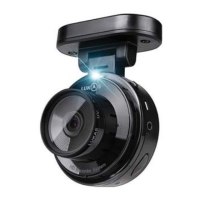
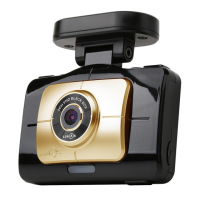
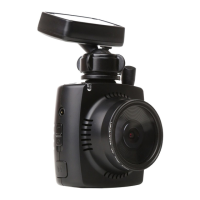
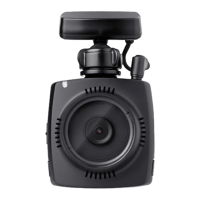
Identifies and explains the function of each physical component of the dash cam unit.
Key safety precautions and considerations to take before proceeding with the installation.
Step-by-step instructions for physically mounting the dash cam and connecting its components.
Detailed guide on how to hardwire the dash cam's power cable to the vehicle's fuse box.
Advice on adjusting the dash cam's viewing angle for optimal recording and visibility.
Information on memory card capacity, file numbers, and estimated usage times for recording.
Basic guide on starting, stopping, and understanding the different recording modes of the dash cam.
Procedure for powering on the dash cam, its booting process, and initial screen display.
How to access, view, and navigate through recorded video files on the dash cam.
Displays the real-time video feed from the dash cam's cameras on the LCD screen.
Overview of the configuration menu for adjusting various dash cam functions and preferences.
Instructions for setting the current date and time on the dash cam, with GPS auto-setting.
Procedure for formatting the SD and microSD memory cards for optimal performance.
On-screen guide for navigating the dash cam's interface and understanding its features.
Information on connecting and using the OBD II module for enhanced vehicle data display.
Guide to installing and using the PC software for viewing and managing dash cam recordings.
Technical details, features, and performance characteristics of the dash cam product.
Step-by-step instructions for safely detaching the dash cam from its rotating mount.
Instructions for installing the UV and CPL filters onto the dash cam lens.
Procedure for connecting and installing the OBD II module to the vehicle.
 General
| Brand | Lukas |
|---|---|
| Model | LK-9300 DUO |
| Category | Dash Cameras |
| Language | English |

 To Next Page