24V
AC/DC
A+
B-
GND
POWER CONNECTION AND MODBUS CONNECTION
The W-Modbus units have 24 VAC/VDC power in/out connection and con-
nection for Modbus communication.
INSTALLATION
1. Conrm that the W-Modbus unit has no visible damage
2. Install the W-Modbus unit close to the Client/Server it should be con-
nected to
3. The W-Modbus enclosure is wall mounted and ts onto a junction
box. Start with mounting the back piece of the enclosure.
4. Connect the power supply and Modbus Client/Server to the W-Mod-
bus unit, as shown to the right. Use the rear and/or top knockouts for
cable entry. All W-Modbus units are factory set for Node operation
without the need for additional conguration when connected to a
Modbus Server.
5. Fit the front piece to the back piece
6. Check that the W-Modbus unit and its wiring are securely mounted
(ifthe unit is powered this will be indicated by the LEDs)
W-Modbus is an end device with internal termination resistor.
APPLICATION AREA
The W-Modbus product transmits Modbus RTUsignals wirelessly. It is
designed to be used indoors as a Modbus RTU cable replacement.
GENERAL
All relevant personnel must acquaint themselves with these instructions be-
fore installation. Any damages to the product and its parts due to improper
handling are not subject to warranty if the product not has been handled
according to the outlined instructions. For additional W-Modbus documen-
tation, visit www.lumenradio.com.
WARRANTY
The warranty or service agreement will be deemed void if:
(1) The product is repaired, modied, or changed, unless such repair, modi-
cation or change has been approved by LumenRadio AB; or
(2) The serial number on the product has been made illegible or is missing.
THE PACKAGING CONTAINS
1 x W-Modbus
1 x Instruction leaet
MANUFACTURER
LumenRadio AB
Svangatan 2B
416 68 Gothenburg
Sweden
ELECTRICAL SAFETY
Only qualied electricians or service personnel trained by LumenRadio may
perform interventions in connection with electrical installation. Always fol-
low local/national rules when performing this type of electrical installation.
When connecting a 24 V isolation transformer, this must be done in accor-
dance with IEC 61558-1.
TECHNICAL DATA
Power supply: 24 VAC ±15% 50-60 Hz, 24 VDC ±15%
Max. power consumption: 2.5 W
24 V output max. power: 10 W
Auto resettable fuse: Yes
Cable rating, connector: solid / stranded
0.14 - 0.5 mm
2
/ 0.2 - 0.5 mm
2
conductor sizes (AWG) 24 – 20
by LumenRadio
W-Modbus
www.lumenradio.com
Copyright © LumenRadio AB 2021
All Rights Reserved www.lumenradio.com
Frequency band: 2.45 GHz, ISM band (2400-2483 MHz)
Baud rate: 9600, 19200, 38400, 76800 bps
Number of Servers: 100 Servers to one Client
Number of hops: 8 hops in the meshing network
Range per hop: 500 m line of sight (approximately 50-
70 m indoors with walls)
Output (ERP): Max 20 dBm
IP class: 40
Material: ABS UL94-V0
Colour: White, RAL 9003
Ambient temperature: Operating: -20 to +55°C
Storage: -30 to +80°C
RH: 10 – 95% non-condensing
Weight: 95g
Dimensions: W86.0 x H86.0 x D25.5 mm
SYSTEM OVERVIEW
A W-Modbus network consists of a single W-Modbus Gateway connected
to the Modbus Client using a Modbus RTU cable and up to 100 W-Modbus
Nodes, each of them connected to one Modbus Server over a Modbus
RTU cable.
Modbus RTU cable
Wireless Mesh
W-Modbus Node
Client
Server
Server
Server
Server
Server
Server
The W-Modbus network is built on LumenRadio’s MiraMesh, a self-forming
and self-healing wireless mesh technology. For more information about
MiraMesh visit www.lumenradio.com
SCAN ME
MANUAL W-Modbus LUMENRADIO
FCC ID: XRSTIMOMWAN201
IC: 8879A-TIMOMWAN201

 Need help?
 General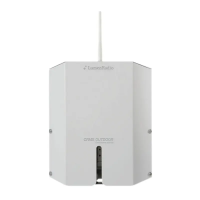

 To Next Page