3
0
1
0
2
0
1
2
3
9
6
10
1
2
3
7
8
9
1
5
6
0
3
0
4
5
23
3
0
1
0
2
0
1
2
3
9
6
10
1
2
3
7
8
9
1
5
6
0
3
0
4
5
23
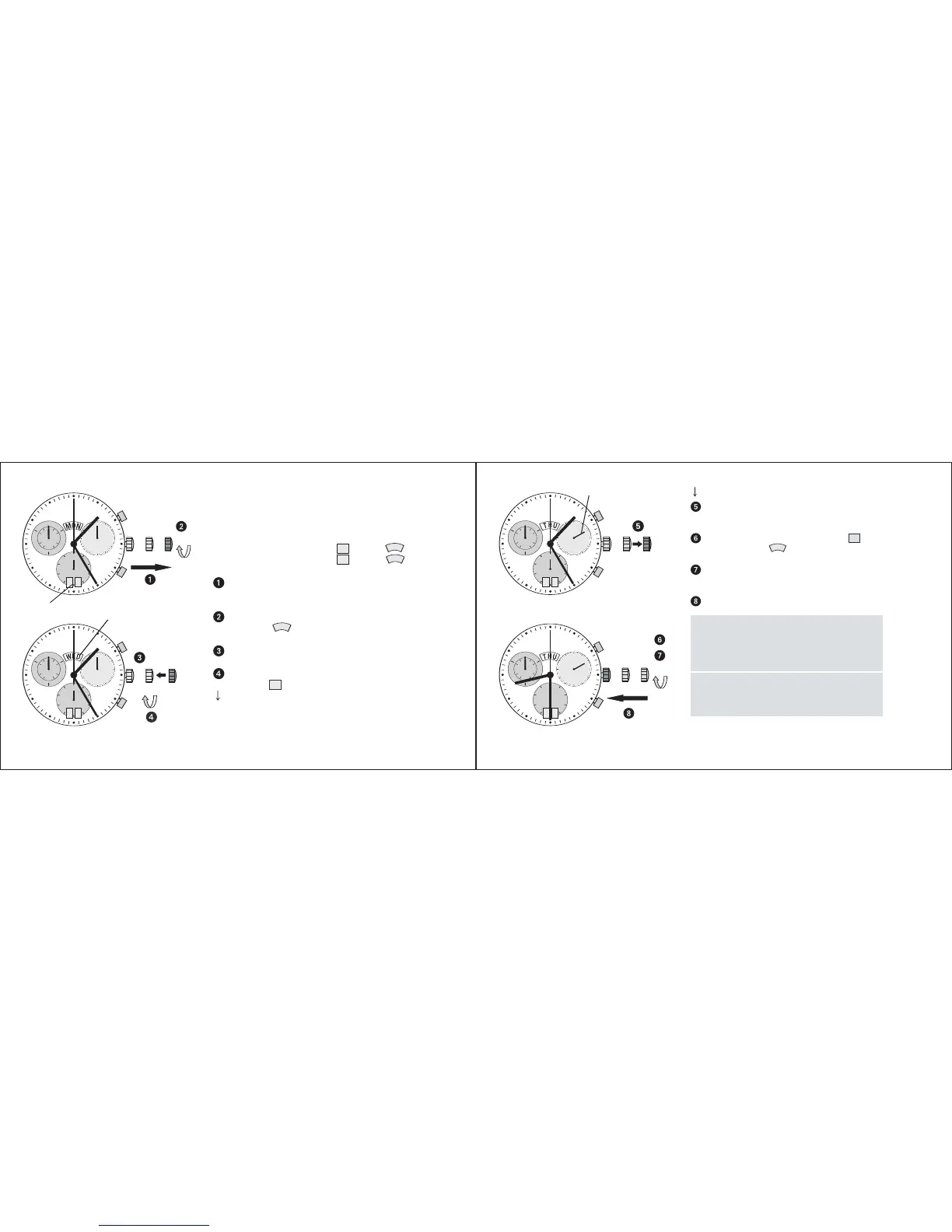
* Pull out the crown to position III
(the watch stops).
Turn the crown until the correct date
23
and weekday
T
U
H
appears.
** Continue to turn the crown until the
correct time 8:30 PM appears.
Push the crown back into position I.
Please note:
* To set your watch to the exact second,
please refer to the chapter entitled
«setting the time».
** Please observe the AM/PM clock rhythm.
The setting of the weekday can be accelera-
ted by turning the crown backwards (4.5 h)
after a week day change, followed by turning
the crown in forward direction.
Second hand
I II III
I II III
3
0
1
0
2
0
12
3
9
6
10
1
2
3
7
8
9
1
5
6
0
3
0
4
5
22
3
0
1
0
20
1
2
3
9
6
10
1
2
3
7
8
9
1
5
6
0
3
0
4
5
17
Setting the date, weekday and
time
Example:
– Date / time on the watch:
17
/ 01:25 /
M
N
O
– Present date / time:
23
/ 20:30 /
T
U
H
Pull out the crown to position III
(the watch stops).
Turn the crown until yesterday’s
weekday
W
D
E
appears.
Push the crown to position II.
Turn the crown until yesterday’s date
appears
22
.
II III
I
II
I
Crown
Date
Weekday
III















 To Next Page