3- Cleaning the ON/OFF switch
The ON/OFF Button at the side (Attitude on the front) should
be cleaned with Cidalkan wipes everytime after switching
off the machine.
Recommendation is to clean it after you take off your
gloves.
Only use the below recommended
solutions. Other solutions may damage or
discolour the device.
LUNEAU TECHNOLOGY OPERATIONS
2 Rue Roger Bonnet-27340 PONT DE L’ARCHE - FRANCE - Tel. + 33 232 989 132 • contact@luneautech.com • www. luneautech.com
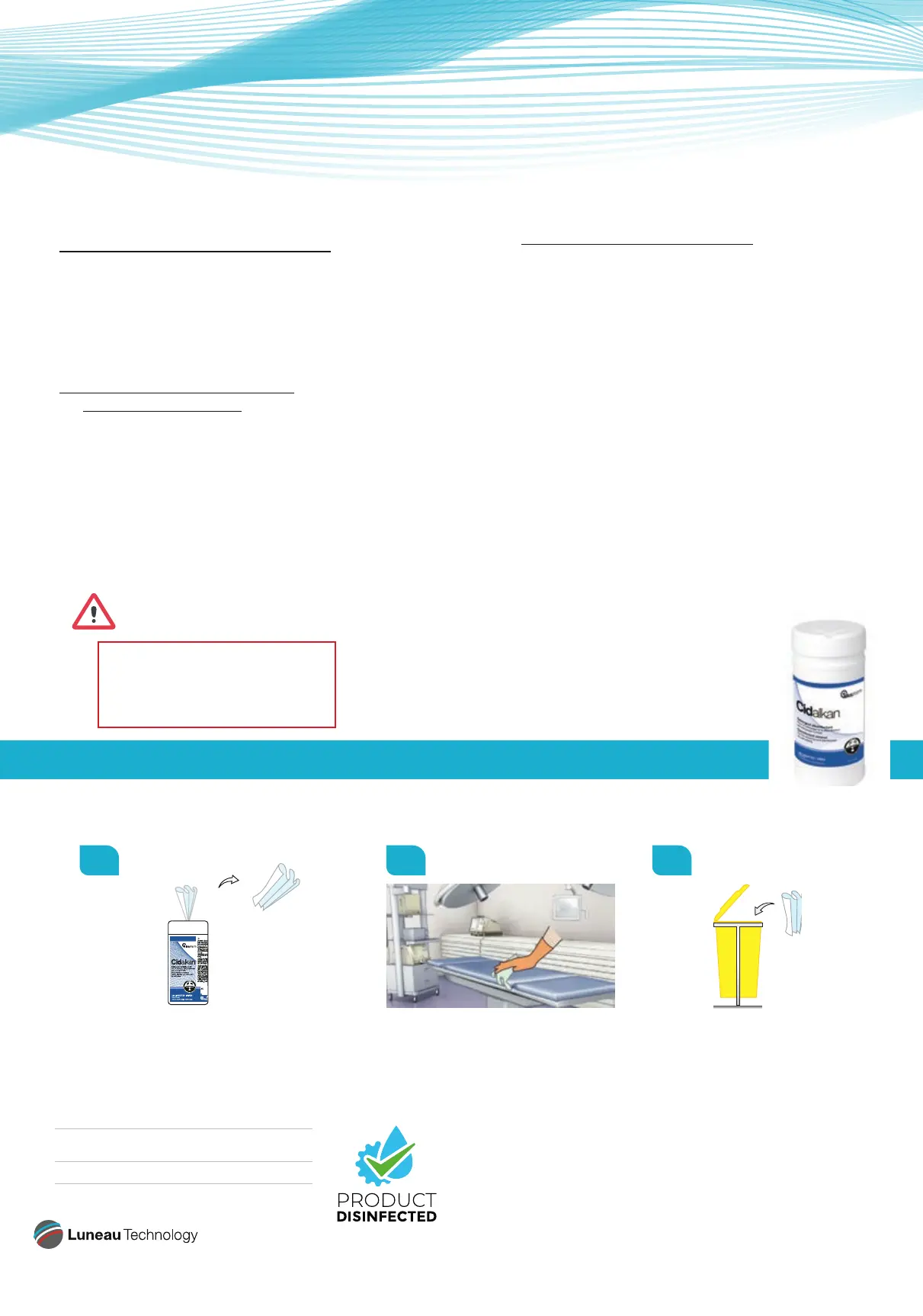
Wipes - Instructions for use please read carefully !
01 02 03
Take a wipe out of its packaging and close Clean thoroughly by hand wiping. Throw away the wipe.
the packaging tightly after use. Leave the product on for 5 minutes. Change wipe for each medical
Do not rinse. surface or device.
4- Cleaning of the external
body of the device
Please proceed to clean regularly the exterior of the
device. Most important the region around the edging
chamber, the region around the touchscreen and, in
case of the Attitude, the door of the drawer.
Before cleaning the unit, turn it off and unplug it from
the electric outlet.
To clean the plastic surface of the device gently wipe
the top, bottom, and front surfaces.
CMJN (print) : 80 / 0 / 7 / 0
RVB : 0 / 178 / 227
Pantone : 306 C
HEX : #00b2e3
CMJN (print) : 67 / 9 / 100 / 0
RVB : 97 / 167 / 48
Pantone : 369 C
HEX : #61a730
REF. 369113 Cidalkan wipes incl. alcohol.
disinfectant
Standards CE 0459
This document is not contractual - FC001164 - ind 00- April 2020
5- Cleaning of the toolsbox
Proceed to a regular cleaning of the exterior of the
toolsbox and particularly handles.



 To Previous Page
 Loading...
