
 Need help?
Do you have a question about the LUTEC LIBRA 6324-CAM and is the answer not in the manual?
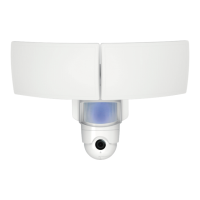
Details features such as LED, SD card slot, camera, microphone, loudspeaker, sensor, and indicator light.
Instructions for downloading the companion mobile app from the App Store or Google Play.
Importance of placing the device in an area with strong Wi-Fi signal for optimal performance.
Steps to turn off power before installation and attach the mounting bracket to the device.
Instructions for electrical connections and securely mounting the device to the wall.
Guide for drilling mounting holes, inserting wall plugs, and making final wire connections.
Steps to attach the main unit to the mounting bracket and switch the power back on.
Guidance on adjusting the tilt and swivel angles for both the lighting and camera components.
Step-by-step guide for configuring the device via the mobile app, including Wi-Fi connection.
Recommendations for regular cleaning of the camera and how to access further support information.
Provides contact phone numbers and email addresses for LUTEC service centers worldwide.
 General
| Brand | LUTEC |
|---|---|
| Model | LIBRA 6324-CAM |
| Category | Outdoor Camera |
| Language | English |

 To Next Page