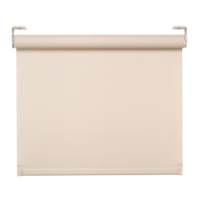
!
!
!
.75 in
(19 mm)
.75 in
(19 mm)
Fabric Width
System Width
Top/back cover width
Align
With Edge
Of Tube
Acceptable
Recommended
Unacceptable
Lutron® roller 100
™
/
roller 150
™
fascia
mount chassis
Installation Guide (please read before installing)
English
Box Contents:
Pre-drill the top/back cover for cable run
Note: This step is not necessary if the top/back cover is not being used.
1
Determine where to drill for cable access.
See options below. Cable should exit from
wall, ceiling or jamb on the Drive side of
fascia.
NOTES:
•
Leave 12 to 18 in (305 to 457 mm) of
cable exposed.
•
Cable should exit from one of these
locations whether the top/back cover
is used or not.
Wall
Drill for the cable in the location indicated
by the label on top/back cover.
Ceiling
Drill for the cable in the location indicated
by the label on top/back cover.
Jamb
Drill for the cable 2 in (51 mm) from
the top and 2 in (51 mm) from the back
of the top/back cover.
1.1
Center and secure shade
5
Move the shade left
or right until centered
on the window.
5.1
The roller 100/roller 150 Fascia Mount Chassis Installation Guide
is a complement to the enclosed Basic Wiring and Setup Guide.
The Chassis Installation Guide describes the mechanical
installation. The Basic Wiring and Setup Guide describes the
wiring and setup for proper function of the roller shade.
Mount top/back cover
2
2.1
2.2
Mount fascia sub-brackets
3
Use the alignment holes to position
the sub-bracket right to left.
The alignment holes will line
up with the outside edge of
the shade tube.
3.1
3.2
Verify the mounting surface is
level/plumb before attaching the
top/back cover. Shim if necessary.
NOTE: Top/back cover
may rub fabric if installed
with excessive tilt.
Mount the top/back cover using the
appropriate fasteners. It may
be necessary to pre-drill clearance
holes in the Top/Back cover before
mounting.
Screws must be at least
5 in (127 mm) from the end of
the fascia to avoid interference
with the sub-brackets.
Mount the shade to sub-brackets
NOTICE: Shades wider than 4 ft (1.2 m) require two people to install.
4
Remove the retaining screws from
the shade brackets.
NOTE: Leave the protective wrapping
on shade during installation.
4.1
Hook the tongue of each
shade bracket onto the top
of each sub-bracket.
4.2
If endcaps are being used,
they must be installed
snapped into the sub-brack-
ets. Insert the sub-brackets
by rotating into place as
shown below.
(2) Fascia end caps(1) Fascia
(1) Left and (1) right
fascia sub-bracket
(1) Top/back cover
(8) Mounting screws
(#8x1-3/4 in)
roller 100/ roller 150 shade
2 in
(51 mm)
2 in
(51 mm)
Rotate the shade up until the
front of the shade brackets
engage with the sub-brackets.
4.3
Route the cable from the wall,
ceiling or jamb between
the shade bracket and the
sub-bracket. Do not pinch
the cable.
4.4
Insert and tighten the
retaining screws on
BOTH shade brackets
to secure the shade
into position. Screws
must be fully tightened.
Verify the retaining screw
is going into the slot in the
sub-bracket.
CAUTION: Risk of minor
or moderate injury from
falling heavy object.
Ensure the shade bracket
is securely attached to the
sub-bracket.
5.2
CAUTION:
Notes:
•
Lutron systems are intended for use with only Lutron hardware, controls,
and power supplies.
•
Codes: Install in accordance with all local and national electrical codes.
•
Environment: Ambient operating temperature: 32 °F - 104 °F
(0 °C - 40 °C), 0 - 90% humidity, non-condensing. Indoor use only.
•
Maintain sufficient clearance between the moving shade and any object.
Risk of minor or moderate injury from falling heavy objects
Securely install the roller shade per the mounting instructions.
CAUTION: Risk of minor
or moderate injury from
falling heavy objects.
Securely attach the
sub-bracket to a structural
member.
3.3
Mount the sub-brackets
using appropriate fasteners.
Leveling the shade
6
Turn the leveling screw
to raise or lower the
idler side of the shade
until level.
6.1
leveling screw
Tools required:
• Tape Measure
• 1/4 in Hex-Head Driver
• Power Drill
• Level
• #2 Phillips Screwdriver


 To Next Page
 Need help?
 General