Once the window coverings have been joined to a GROUP or
multiple GROUPS, the remote is ready to operate the window
covering(s). Multiple window coverings can be operated at
the same time.
Basic Operation
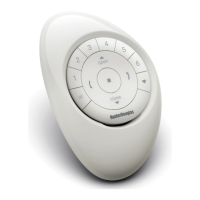
1. To wake up the remote, simply pick it up or press
STOP. The last GROUP(S) selected will be
highlighted and active.
2. Press ALL or GROUP 1– 6 button(s) to select specific
window covering(s) to operate. Selected GROUP
button(s) will light to show they are selected.
a. Multiple GROUP buttons may be selected at the
same time.
b. To deselect a GROUP, press the GROUP button
again. The backlit GROUP button will go out.
3. Press OPEN to open the selected window covering(s).
4. Press CLOSE to close the selected window
covering(s).
21
BASIC OPERATION


 To Next Page
 Loading...