· Mac, Mac OS, OS X and macOS are trademarks of Apple Inc., registered in the U.S. and other countries.
· Windows is a registered trademark of Microsoft Corporation in the United States and/or other countries.
· DSD is a trademark.
· Bulk Pet is a registered trademark of INTERFACE Co., LTD.
· The described company names and product names are the trademarks or registered trademarks of each company.
For LUXMAN D/A Converter
Windows/Mac-ready USB Driver
Installation Manual
Recommended PC conditions for Windows and Mac
Compatible models: DA-06, DA-250, DA-150, DA-200, DA-100, D-08u, D-06u, D-05u, D-N150, D-03X
(As of March 2020)
Caution
When using a Windows operating system, you must ensure that you have downloaded and installed the driver soft-
ware before using a USB cable to connect the PC to the D/A converter.
When using a Mac operating system, the driver software is required when using Bulk Pet transmission mode when
connecting a Mac to either the D-N150 or D-03X.
■ License agreement conditions
• The provided software is copyrighted by LUXMAN CORPORATION (hereafter referred to as LUXMAN) and LUXMAN is
the original rights holder.
• The provided software can only be used for the purpose of controlling a LUXMAN product, and that product must use
the corresponding provided software.
• When the provided software is used, the restrictions, precautions and recommendations apply for each provided soft-
ware type. This is clearly stated and should be observed.
• Modification, adaption and analysis for reverse engineering, decompilation, disassembling, etc. of all or any part of the
provided software is strictly prohibited.
• Distribution via communication lines, transfer, sale, lending and license of the provided software to any and all third par-
ties after duplication of the software on any disks, magnetic tape, USB memory, etc. is strictly prohibited.
• LUXMAN, LUXMAN sales companies, distributors, contracted dealers and the original rights holder of the provided soft-
ware assume no responsibility for any damage, loss or the like that is caused by combining the provided software with
any devices or programs other than those specified in the restrictions, precautions and similarly clearly stated terms in
this service manual or caused by altering the provided software.
• LUXMAN, LUXMAN sales companies, distributors, contracted dealers and the original rights holder of the provided soft-
ware assume no assurance responsibility or liability for the provided software.
CPU: Intel Core 2 Duo or higher
Memory: 2 GB or more
OS: Windows 8.1, Windows 10
Mac OS X v10.10 (Yosemite)
OS X v10.11 (El Capitan)
macOS v10.12 (Sierra)
macOS v10.13 (High Sierra)
macOS v10.14 (Mojave)
macOS v10.15 (Catalina)
AG00021F03I

 Need help?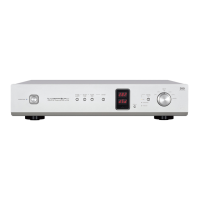

 To Next Page
 General