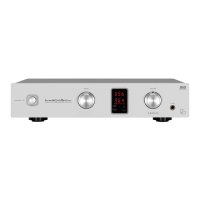
USB D/A CONVERTER DA-250
2
Cleaning
• Usually, wipe the unit with a dry soft cloth. When the dirt
is hard to remove, dip soft cloth in detergent diluted 5 or
6 times with water, wring it well, and remove contami-
nants. Then, remove the moisture with dry cloth.
• Do not use a solvent like alcohol, benzine, thinner, or
pesticide because such a substance can damage the ex-
terior. In addition, do not let this unit contact a rubber or
plastic form for a long time. That may damage the cabi-
net surface of the unit.
• When using a chemical cloth for cleaning, read the cau-
tion provided with the chemical cloth product.
• Before cleaning, unplug the power cord from the AC out-
let.
Precautions in connecting with other
components
When connecting this unit to input/output devices other
than a PC/Mac such as a CD player, an SACD player, a
DVD player, a tuner, and a power amplifier, be sure to turn
off the power of this unit and all other connected devices.
Failure to observe this may generate a strong noise resulting
in speaker damage or cause a malfunction.
The pin-plug to be inserted in each input terminal of this
unit shall be pushed in firmly. If the grounding terminal is
inadequately connected, noises including hum may be gen-
erated, resulting in an adverse S/N ratio.
Protection circuit
This unit is equipped with a protection circuit that is activat-
ed upon the detection of overcurrent to protect the head-
phones. When the protection circuit is activated, the output
to the headphones is shut off and the operation indicator
blinks to show that this unit is in the muting state. When
the cause to activate the protection circuit is eliminated, the
blue operation indicator light comes back on and the op-
erating state resumes. If the protection circuit is frequently
activated, please consult your dealer.
Insertion and extraction of headphone plug
When the headphone (unbalanced) plug is inserted or ex-
tracted, a short circuit occurs between the L ch output and
R ch output because of the structure of the headphone jack
(unbalanced).
If the volume of this unit is turned up at this moment, an
overcurrent flows to the headphone amplifier output and the
overcurrent detection circuit becomes activated, which sets
this unit to the muting state and may also cause a malfunc-
tion. Therefore, the insertion and extraction of the head-
phone plug shall be performed when the volume is turned
down to the minimum or when there is no signal after shut-
ting off input signals.
Repair and adjustment
When repairs or adjustments are needed, please ask the
dealer where you bought the unit.
Caution in using headphones
If the headphones are used for a long time at a high sound
volume level, your hearing may be damaged.


 To Next Page
 Loading...