
 Need help?
Do you have a question about the LYPERTEK PUREPLAY Z5 and is the answer not in the manual?
Lists the contents of the package including earbuds, charging case, ear tips, and cables.
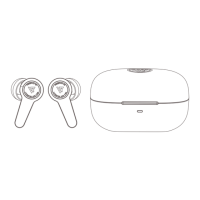
Details the indicators, charging port, touch controls, microphones, and wireless charging area of the earbuds and case.
Explains the LED color codes for pairing, connection, and charging status.
Details the button press and hold duration for entering pairing mode or performing a full reset.
Describes charging via USB-C or wireless pad and the LED indicators for charge level.
Step-by-step instructions for pairing the earbuds with a smartphone via Bluetooth.
Guidance on selecting the right ear tips and inserting earbuds for optimal fit and sound.
Lists default tap and tap-and-hold commands for playback, calls, and voice assistant.
Addresses issues like thin sound, low bass, wind noise, and ANC performance.
Provides email address and website for customer support and inquiries.

 To Next Page
 General