14 15
Reverse setting or normal LED display
To select, use the MODE / ESC button and choose d.s (normal) or rd.s (reverse). The UP and DOWN
buttons coincide between the two settings. Press the ENTER button to conrm the chosen selection.
Automatic stroke mode
One of the two Auto Run sub-modes can be selected with a preset speed selection.
This mode allows the unit to act as a master to other slave units
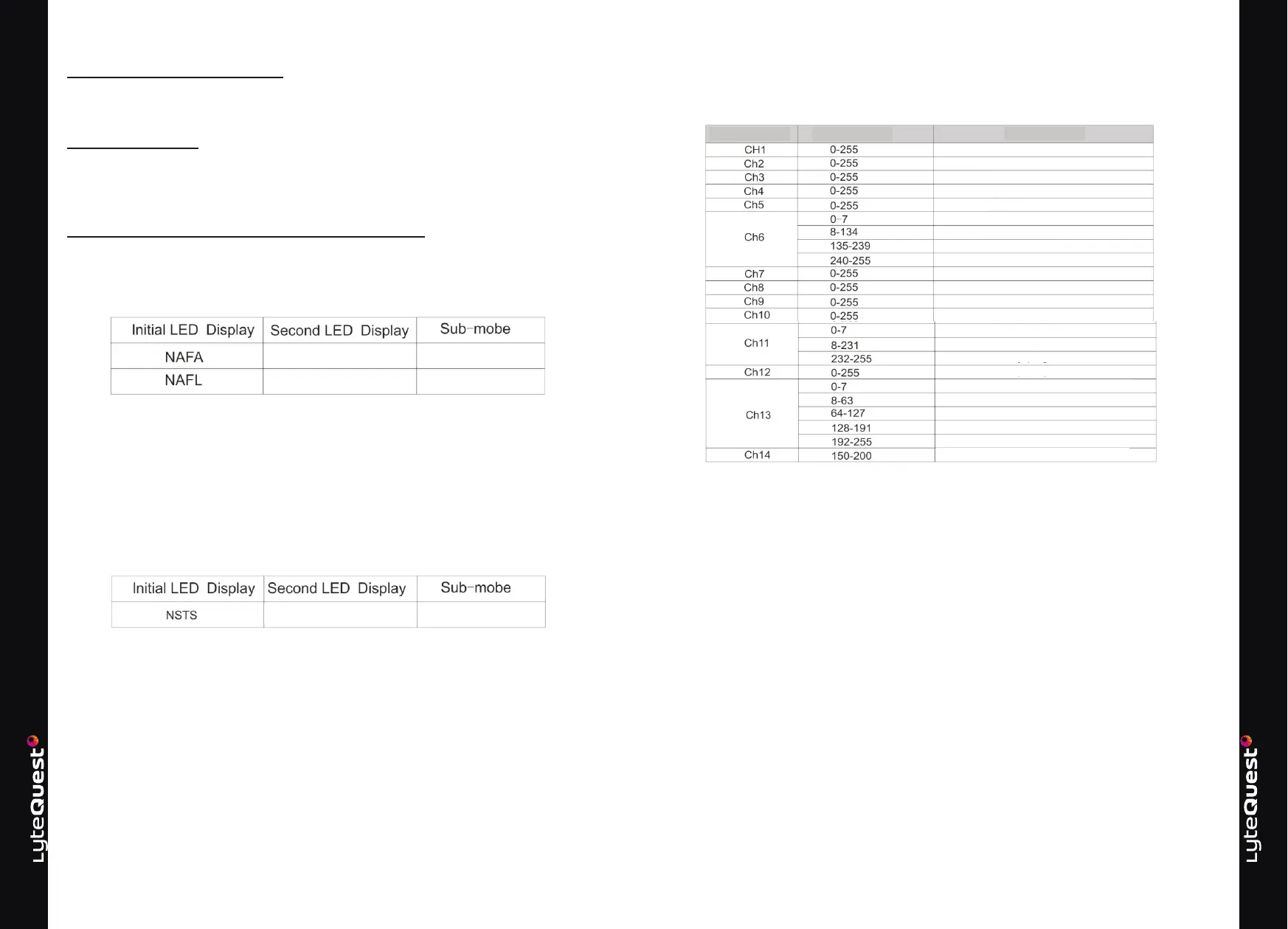
Selecting Auto Run Submodes
To select, use the MODE / ESC button to display NAFA or NASL.
The UP and DOWN buttons change between the two initial options. With the appropriate option
selected, use ENTER to conrm and the LED display with change to "FAST" or "SLOW". The unit will
then run at the selected speed.
Sound activated mode
The unit responds to the sound picked up by the unit in the microphone to create a light show. Each
branching sound allows the colors and position of the eects to be changed. This mode allows the unit
to act on a master to other slave units.
Choice of activated sound
To select, use the MODE / ESC button and choose NSTS.
When the ENTER button is pressed, the LED display changes to SrUn and the unit enters sound
activated mode.
Mode esclave
Jusqu’à 32 unités peuvent être mises en cascade avec une seule unité agissant comme maître et
toute autre unité liée comme esclave.
L’unité esclave fonctionnera tous en synchronisation avec l’unité maître sans avoir besoin d’un
contrôleur supplémentaire. Les connexions peuvent être eectuées à l’aide de câbles de contrôle
DMX standard avec l’unité Master en mode activé et placée au début de la chaîne.
Choix du mode esclave
Pour sélectionner, utilisez le bouton MODE / ESC et choisissez NSTS
Lorsque le bouton «ENTER» est pressé, l’achage LED passe à «SON» et l’appareil sera esclave du
signal de commande provenant d’une unité maître
Fast / Rapide Course automatique rapide
Slow / Lent Course automatique lente
ADVANCED MODE:
Channel Value Function
Pan
Pan ne
Tilt
Tilt ne
XY Speed O
Master Master
Slow to fast strobe eect
Opening
Red variation Green
variation
Blue variation
Red variation
Color selection Color
macro Color animation
Color animation speed
Custom control
Fast automatic operation Slow
automatic operation Sound 1
Sound 12
Reset



 To Next Page