
 Need help?
Do you have a question about the LyxPro LyxJam LYXEDM800 and is the answer not in the manual?
Play with headphones or connect to a sound system for band practice.
Connect to a computer to customize and trigger custom drum sounds.
Includes 70 pre-recorded songs for practice and play-along sessions.
Tailor drums and cymbals to your personal preferences for a unique experience.
Features rim effects on all pads and cymbals for an authentic drumming feel.
Read instructions thoroughly to prevent injury or damage from improper assembly.
Ensure setup on a level, hard surface for stability and safe operation.
Install all parts in the described order without mixing to ensure optimal performance.
Children should not assemble or play on this electronic drum kit.
Always ensure all bolts are fully tightened after attaching parts.
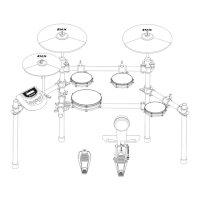
Lists and illustrates all frame and accessory components included with the drum kit.
Identifies necessary tools like screwdrivers, key, and cleaning cloth for assembly.
Guides on placing and securing the drum kit frame on the floor.
Details the process for installing cymbal rods, stands, and pads onto the frame.
Explains how to insert rods and connect tom/snare pads to the main structure.
Covers attaching the kick brace, kick pedal, and sound module adapter.
Instructs on connecting the main wiring harness and audio jacks to the sound module.
Details dimensions of drum pads and cymbals, and features of the sound module.
States warranty covers defects in materials and workmanship for one year.
Lists items not covered, such as damage from misuse, modifications, or wear.
Explains how to contact customer support and obtain a DMA number for service.
 General
| Number of Pads | 8 |
|---|---|
| Power Supply | AC Adapter |
| Kick Trigger Input | Yes |
| Hi-Hat Control Input | Yes |
| Demo Songs | 10 |
| Metronome | Yes |
| Aux Input | Yes |
| Headphone Output | Yes |
| MIDI Output | Yes |
| Connectivity | MIDI, USB |
| Included Accessories | Drum sticks, Power adapter |
| Features | Built-in speaker |
| Type | Electronic Drum Kit |

 To Next Page