6
Connecting the Keystation
Connecting Keystation to a Computer
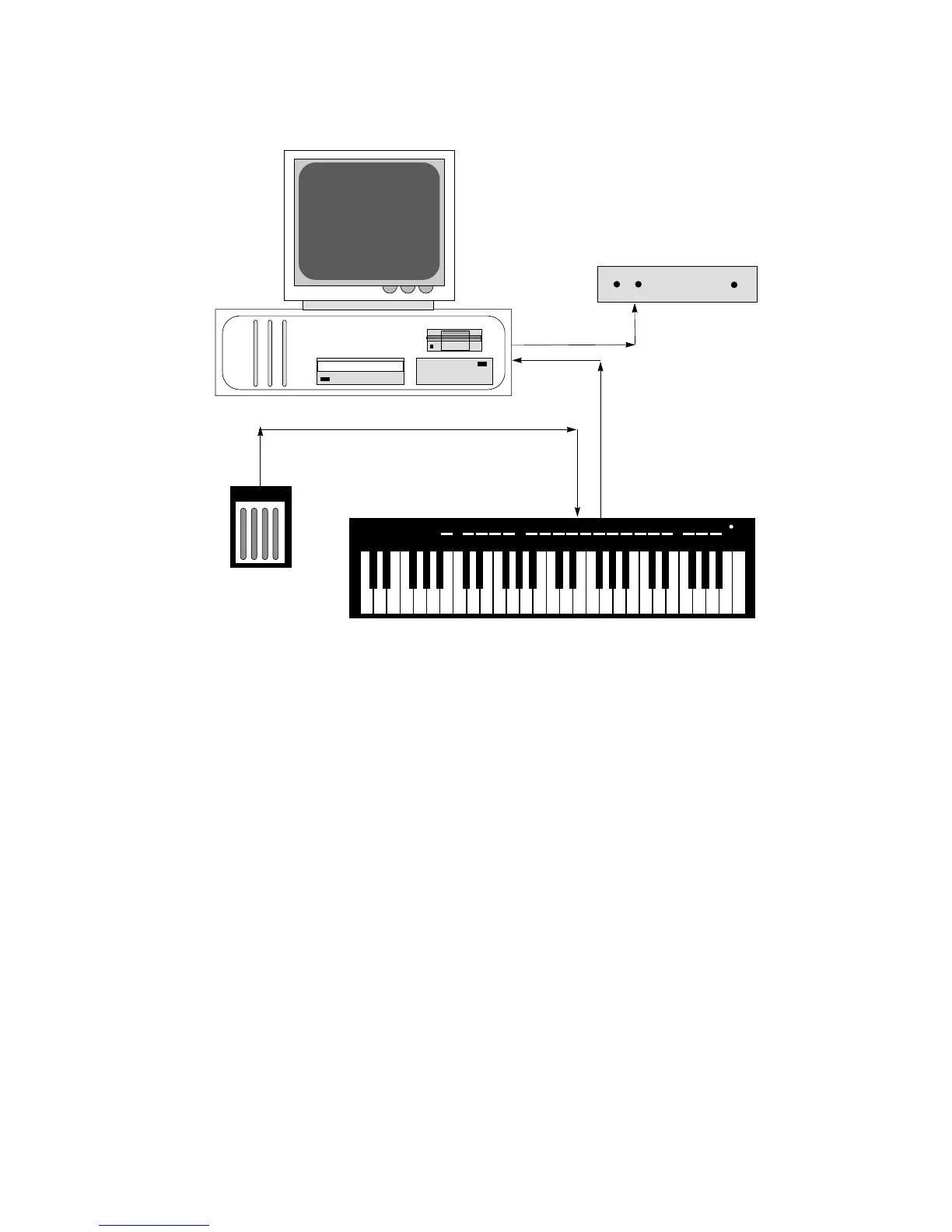
Using a standard 5-pin MIDI cable connect one end to the MIDI Out jack
of the Keystation and the other end to the MIDI In Jack of your comput-
er’s MIDI interface (See figure 1). If your set-up includes a separate tone
module, like the Midiman G-Man, be sure that you also have a second
MIDI cable connected from your computer’s MIDI Out to the tone mod-
ule's MIDI In.
Connecting Keystation to a MIDI Tone Module
Using a standard 5-pin MIDI cable connect one end to the MIDI Out jack
of the Keystation and the other end to the MIDI In jack of your tone
module. If you will be using more than one tone module, you should
consult your Tone Module manual to get additional information about
how to hookup more than one MIDI module. If you are using an older
MIDI tone module that responds to only one MIDI channel you must
make sure that the Keystation MIDI transmit channel (see below) match-
es the MIDI receive channel set on your module.






 To Next Page