8
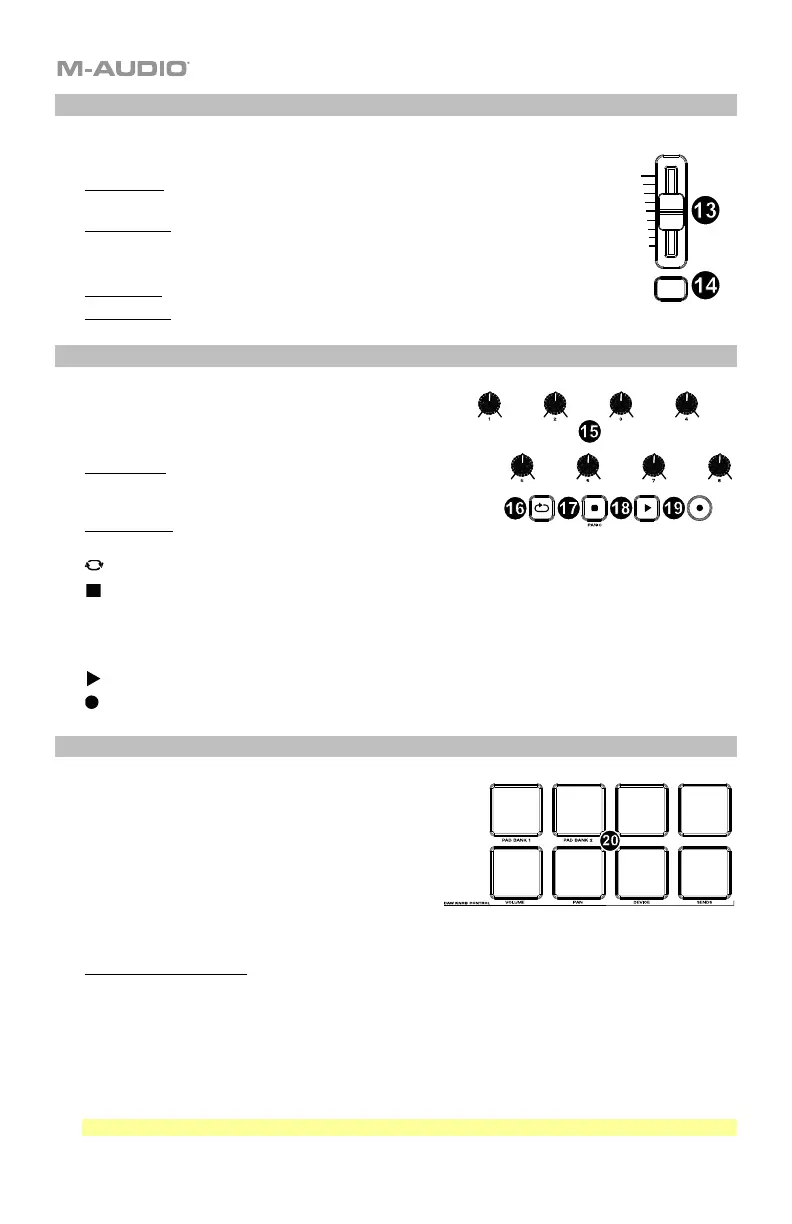
Fader/Fader Button
13. FADER: Sends different types of standard MIDI CC messages or advanced
MIDI messages based on the assigned parameter or the active preset.
DAW Mode: Sends channel Fader messages for Track Faders or other DAW
controls.
Preset Mode: Sends predefined messages or user editable MIDI CC messages.
14. FADER Button: This mappable button can be assigned to send Note, CC, and
other MIDI messages.
DAW Mode: Sends Mackie/HUI messages or predefined CC messages.
Preset Mode: Sends predefined messages or user editable MIDI CC messages.
Knobs/Transport Controls
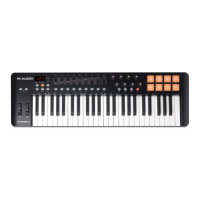
15. Knobs 1-8: Sends different types of standard MIDI CC
messages or advanced MIDI messages based on the
assigned parameter or the active preset. Each knob can be
individually assigned to a different MIDI parameter.
DAW Mode: Sends predefined Mackie/HUI, Mackie
messages or predefined CC messages for Track
Panning, Device, or Sends.
Preset Mode: Sends user editable MIDI Messages in
preset 1-10.
16. (Loop): Press this button to activate/deactivate the loop function in your DAW.
17. (Stop): Press this button to stop the open song in your DAW.
Double-press this button to stop the open song and return the playhead to the beginning of the
song.
PANIC: Sends an "All Notes Off" message on all 16 MIDI channels.
18. (Play): Press this button to play the song in your DAW.
19. (Record): Press this button to activate recording in your DAW.
Pads
20. Pads 1-8: Press these velocity-sensitive pads to
send Note On/Off and velocity data when
performing.
Hold SHIFT and press a pad to change to
activate its secondary function:
PAD BANK 1 (Pad 1): Select pad bank for all
Pads 1-8.
PAD BANK 2 (Pad 2): Select pad bank for all Pads 1-8.
DAW KNOB CONTROL
Set all Knobs 1-8 to:
VOLUME (Pad 5): Each knob will adjust the volume of the corresponding software track.
PAN (Pad 6): Each knob will pan the corresponding software track.
DEVICE (Pad 7): Each knob will control device controls of the corresponding software track.
SENDS (Pad 8): Each knob will control the level of the aux sends for the corresponding software
track.
Note: Not all knob functions will be available in every DAW.



 To Next Page