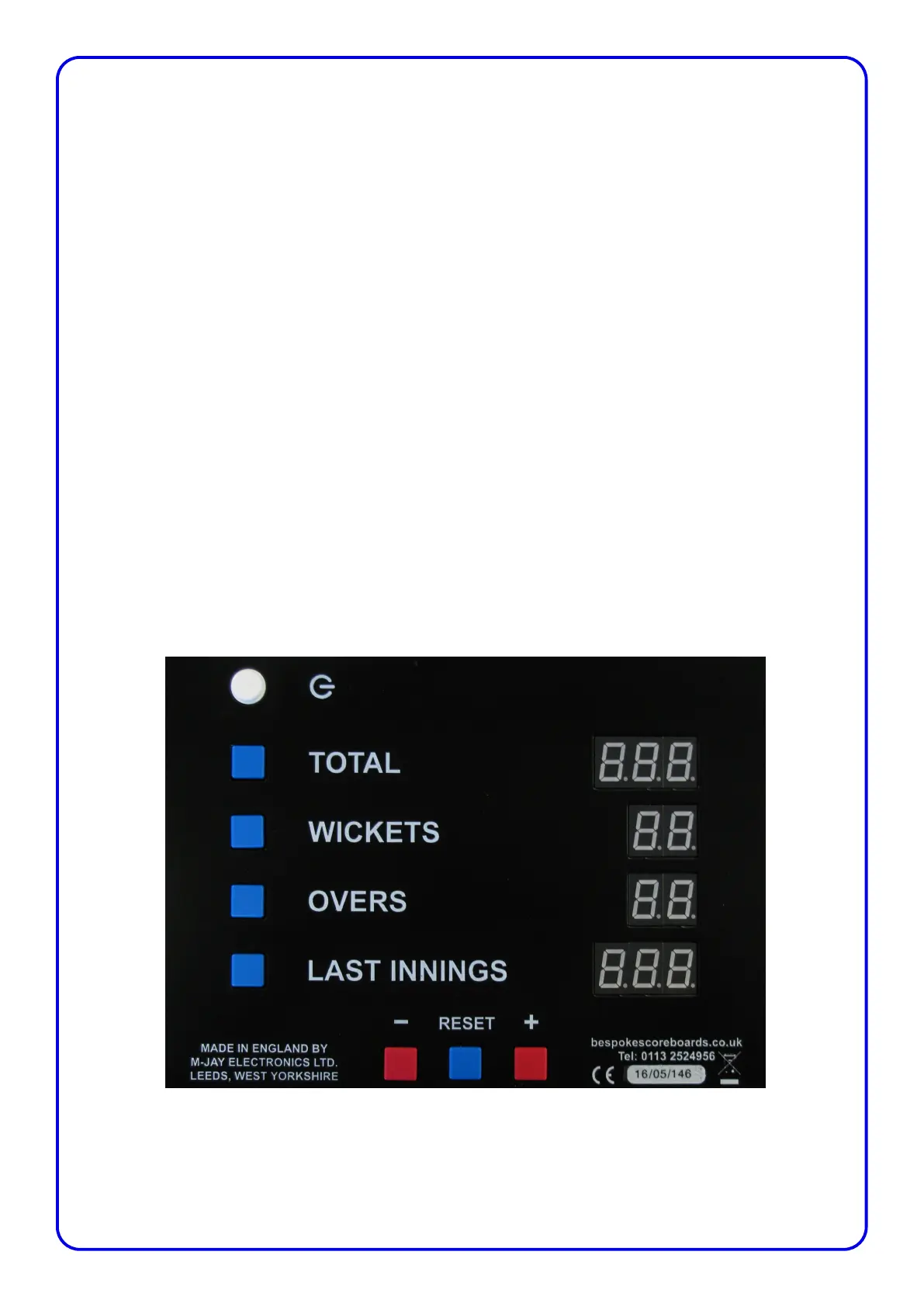
Last Innings
At the close of the Innings, allow time for the audience to see the scoreboard before preparing it for the
next innings. To reset the score for the next innings press and hold down the blue Last Innings button,
then press the blue Reset button.
This moves the Total score to Last Innings and resets the Total, Wickets and Overs to Zero.
The close of innings operation can be undone by pressing and holding down the blue Total button, then
pressing the blue Reset button. This will return the scoreboard back to the previous innings score. You
can undo the ‘close of innings’ up until a wicket falls, at which point the previous innings score is
deleted from the controller.
If it is needed the Last Innings score can also be entered in the same way as Total, Wickets and Overs
by pressing down and holding the blue Last Innings button and the red Plus (+) button or the red Minus
(-) button.
Umpires Light
To acknowledge the umpires signal, pressing the reset button by itself will flash the umpires light on
the scoreboard.
Page 3



 To Next Page