Recharging the Batteries
Controller Recharging
Controllers which have the optional wireless transmitter for remote operation will also have an internal
rechargeable NiMH battery fitted for remote working.
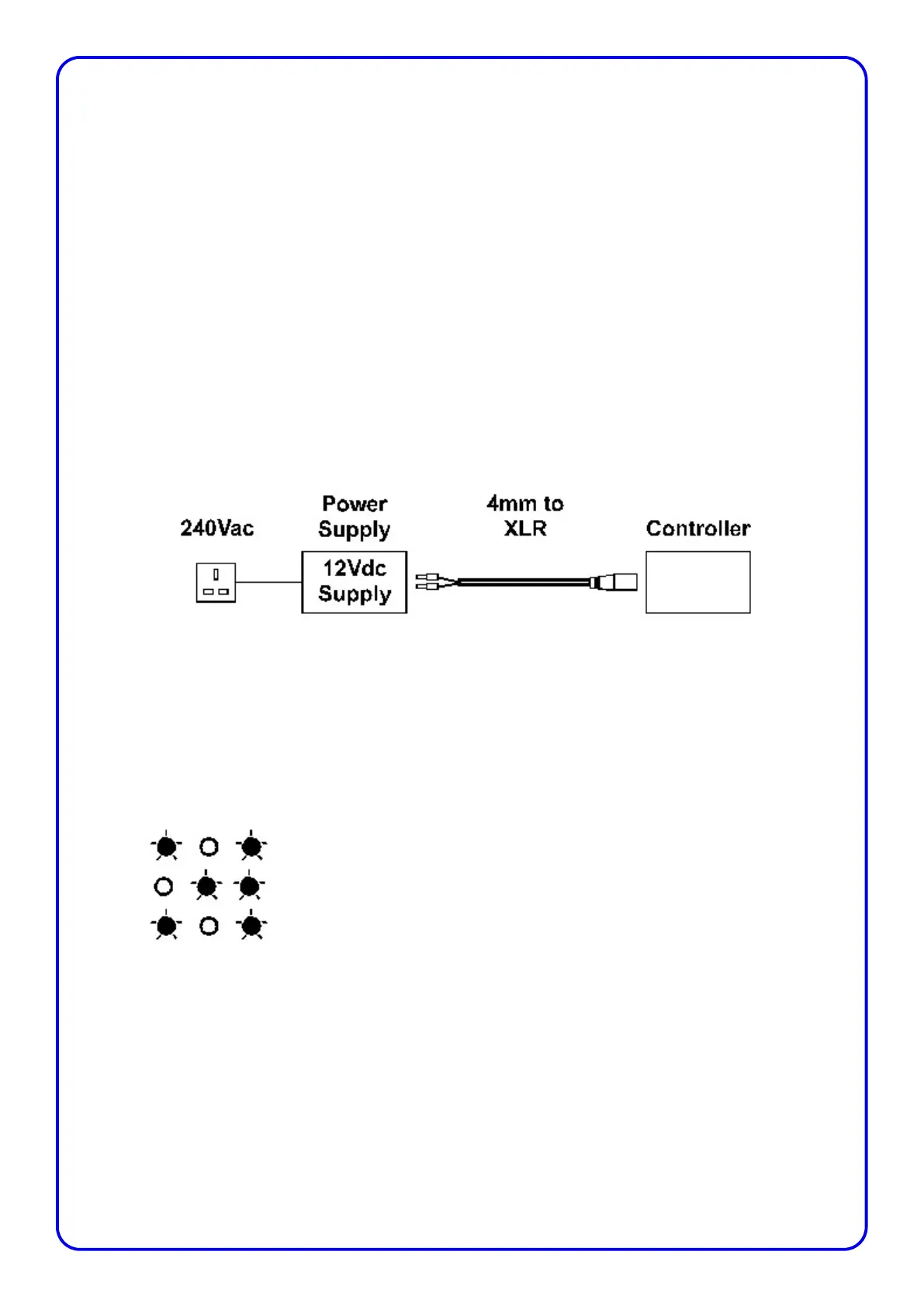
To recharge the controller, connect the controller to the supplied power supply with the supplied cable
as in the diagram below. Alternatively the controller could be connected to the leisure battery, or
charged from the data cable connected to the scoreboard.
The battery charging circuit within the controller operates automatically whenever power is connected
to the controller. The controller does not need to be switched on for the battery to be charged. The
battery charger uses three LED’s to display it’s current operation. When power is connected to the
controller, the battery charger briefly illuminates the two outer LED’s while it tests the battery, then
switches to a fast charge if no faults are detected.
Once the battery is fully charged, the charger will then trickle charge the battery and the two outer
LED’s will be illuminated and remain lit until power is disconnected from the control panel. The
charger will not over charge the batteries if power is left connected after the fast charge cycle has
completed.
LED Sequence
Initial Battery Test
Fast Charge
Fully Charged
When the batteries have been very heavily discharged, it may take much longer for the fast charge to
start. If the battery charger detects that a battery is faulty, then the charge will stay at the battery test
stage until the fault is corrected.
The period of time to fully charge the batteries will vary depending on how the scoreboard controller
has been used, however a full charge will take no longer than five hours.
Page 5


 To Next Page
 Loading...