Scoreboard Setup
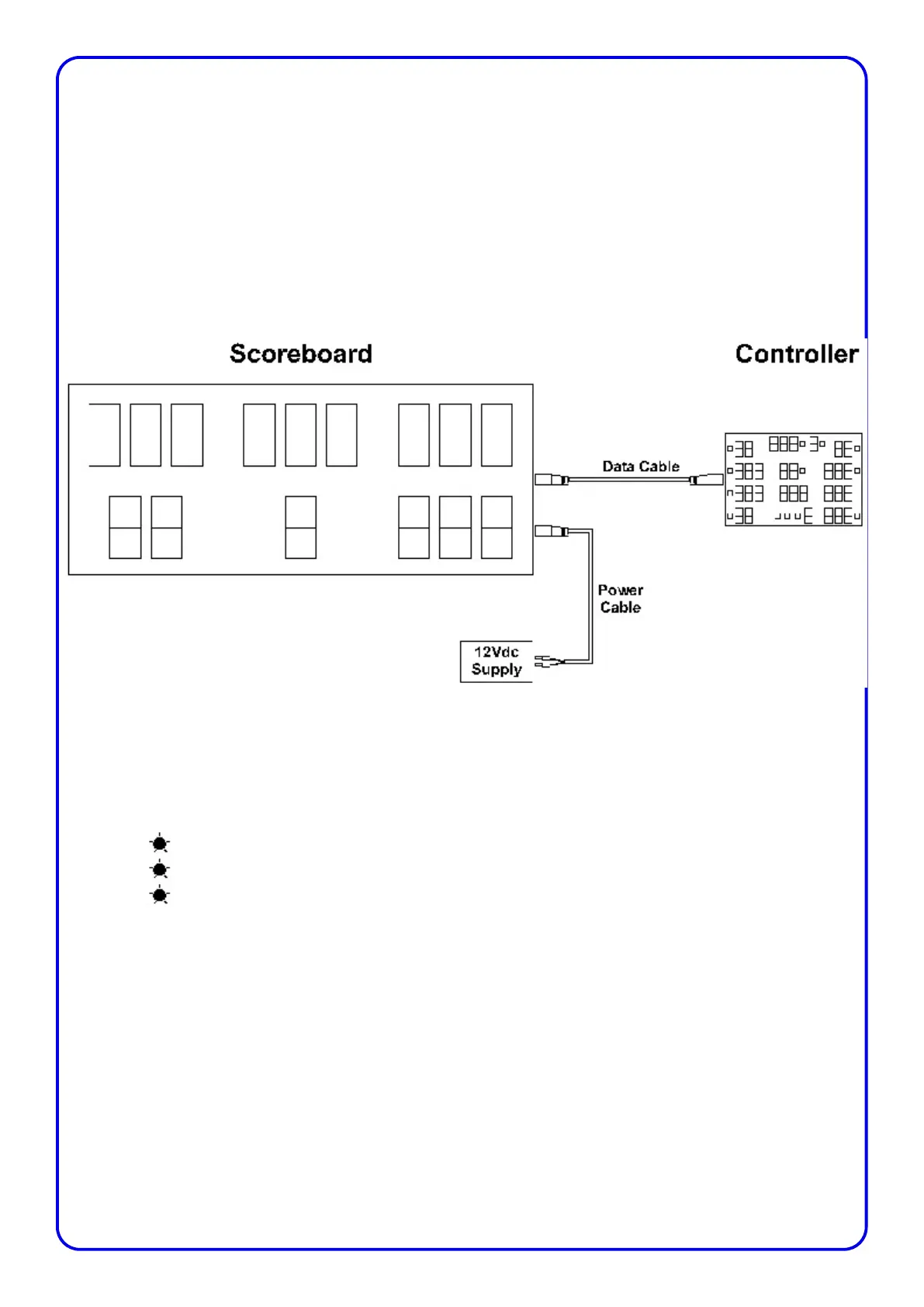
Connect the scoreboard and controller as shown below. The power lead has the two 4mm plugs which
are connectedto the power supply or the leisure battery. The other end of the power lead with a 4 pin
female XLR connector plugs into the scoreboard.
The data cable has a 4 pin XLR connector on each end. The male end connects to the scoreboard while
the female end connects to the controller
Scoreboard Status LED’s
A feature added at the end of 2014 to the scoreboard facia, is the addition of 3 small LED’s to indicate
the statue of the scoreboard.
Receiver Power
Data Input Power
Data
The receiver power LED indicates there is power on the Receiver PCB inside the scoreboard. The data
input LED indicates there is power on the Data Input PCB inside the scoreboard.
The data LED will flash each time the scoreboard receives data from the controller. If the Data LED
stops flashing then it is no longer receiving data.
The most common causes of not receiving data are:
The aerial is not connected to the controller
The batteries are about to, or have already run flat on the controller
Page 7



 To Next Page