
EasyManua.ls Logo

M-Life ML0674 User Manual

M-Life ML0674
50 pages
Go to English
To Next Page IconTo Next Page
Page #1 background imageLoading...
Page #1 background image
DE
Bedienungsanleitung
EN
Owner’s manual
RO
Manual de utilizare
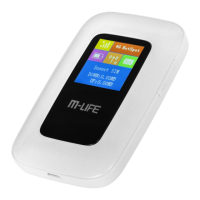
MI-FI ROUTER 4G LTE
Model: ML0674
PL
Instrukcja obsługi

Questions and Answers:

M-Life ML0674 Specifications

General IconGeneral
BrandM-Life
ModelML0674
CategoryWireless Router
LanguageEnglish

Summary

Safety Instructions

General Safety Precautions

Lists precautions for device usage in various environments and situations to prevent interference or danger.

Product Description

Device Components Overview

Identifies and explains the main physical components of the M-LIFE MI-FI ROUTER 4G LTE.

LCD Screen Description

Understanding Display Icons

Explains the status icons displayed on the device's LCD screen for network, battery, and connection status.

Sleep Mode

Automatic Sleep Mode Activation

Details how the device enters sleep mode automatically when inactive to conserve power.

SIM Card and Battery Installation

Step-by-Step Installation Guide

Provides visual and textual instructions for correctly inserting the SIM card and battery.

Charging the Device

Charging Methods

Explains the available methods for charging the M-LIFE MI-FI ROUTER 4G LTE.

Device Operation

Turning the Device On and Off

Instructions on how to power the device on and off using the power switch.

Connecting to Your Device

USB Connection Setup

Guide for connecting the router to a computer or device via USB for initial setup.

Wi-Fi Connection Setup

Instructions for connecting devices to the router wirelessly using Wi-Fi.

WPS Connection Method

Explains how to use the WPS feature for a quick and secure wireless connection.

Network Name and Password

Obtaining SSID and Password

Details how to find or configure the Wi-Fi network name (SSID) and password.

Web Configuration

Accessing the Web Interface

Steps to access the router's web-based management interface for advanced settings.

Web Interface Overview

Home Page Information

Displays key device information such as connection status, user count, and network details.

Web Page Icon Guide

Explains the meaning of various icons shown on the web interface screens.

Message Management

Instructions for managing incoming and outgoing SMS messages via the web interface.

Setup and Configuration

Quick Settings Configuration

Allows setting up the network name (SSID) and password for Wi-Fi.

Dial Settings Configuration

Configures WAN connection mode, APN, and profile settings for network access.

Network Settings Configuration

Manual network search and selection for optimal connection.

WLAN Settings Configuration

Manages WLAN features like SSID broadcast, security mode, and client limits.

Router Settings Configuration

Adjusts DHCP, IP address, and subnet mask settings for network management.

Security Settings

Manages PIN code settings for enhanced device security.

Firewall Settings Configuration

Enables and configures firewall rules for network protection.

System Settings Configuration

Manages system time, user credentials, and device restart options.

State Settings Information

Displays current network and device status information.

System Updates

Applying Software Updates

Instructions for checking and installing available firmware or system updates.

Troubleshooting

Common Issues and Solutions

Provides solutions for frequently encountered problems with the device's operation and connectivity.

Warnings and Precautions

Electronic Device Safety

Advises on safe usage near sensitive electronic and medical devices.

Hospital Usage Guidelines

Specifies rules for using the device within healthcare facilities.

Storage and Handling Precautions

Guidance on protecting the device from environmental hazards and physical damage.

Children's Safety

Safety measures to prevent children from misusing or damaging the device.

Operating Environment

Environmental Usage Guidelines

Recommendations for optimal operating conditions, avoiding moisture and dust.

Cleaning and Maintenance

Device Care and Service

Instructions for cleaning the device safely and when to contact service for repairs.

Specifications

Technical Features

Lists key technical capabilities and hardware specifications of the router.

Network Support and Speeds

Details supported network types and their respective download/upload speeds.