41
Use of the Keyboard and Tables
USE OF THE EXTERNAL USB KEYBOARD
Merish5 can be used with a standard USB connected PC keyboard.
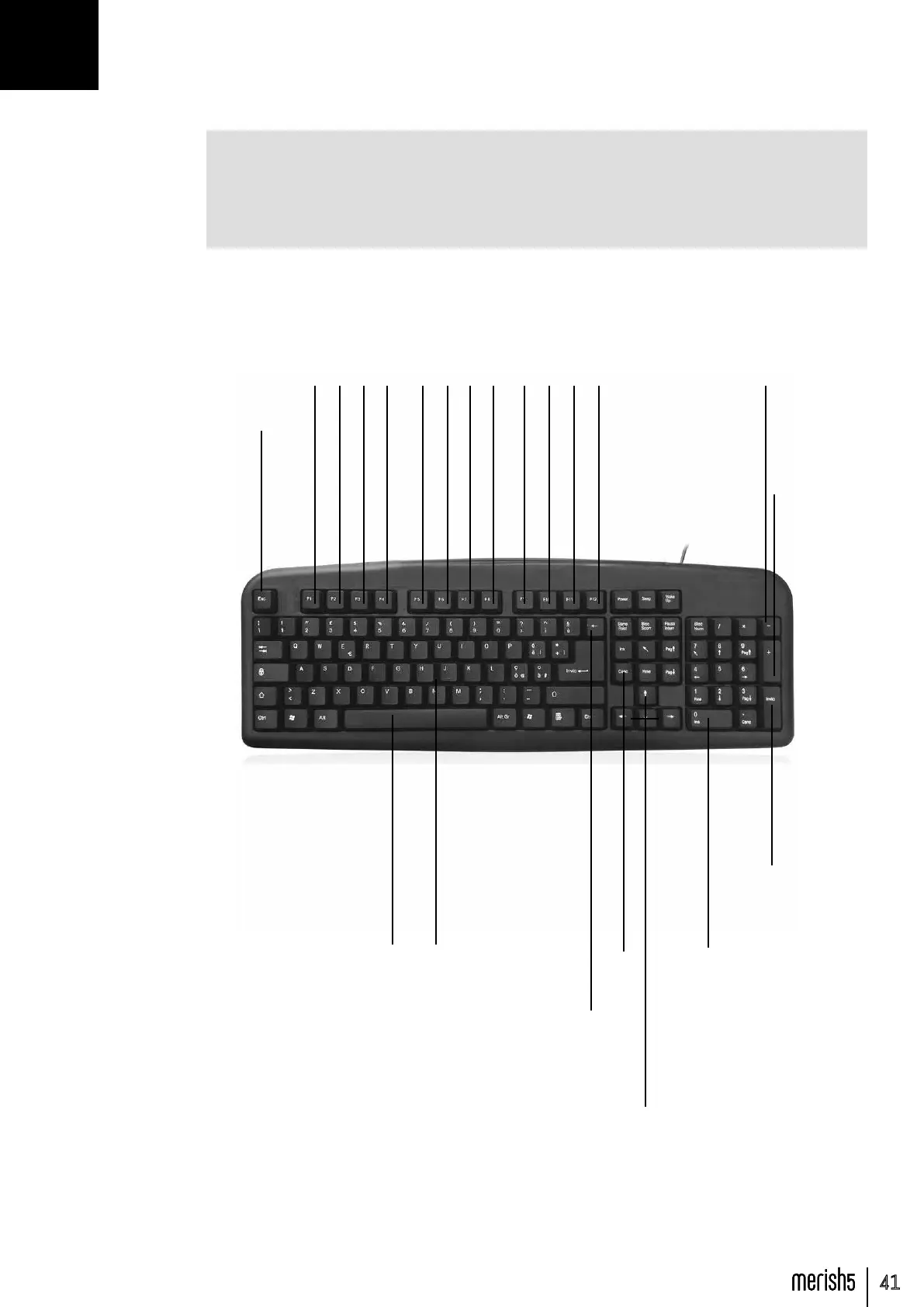
After connecting, the keyboard is able to control many functions of Merish5 and the follow-
ing picture shows a map of these controls.
SPACE -> Play
Letters and figures -> quick search
ESC -> Esc
F1 -> Go To
F2 -> DJ
F3 -> Smooth
F4 -> Go To
F5 -> Harmonizer
F6 -> Melody Mute
F7 -> Search
F8 -> Mixer
F9 -> Chords
F10 -> Marker
F11 -> Rec
F12 -> Playlist
ZERO (num pad) -> Stop
up, down, rh, lh, pag up, pag down -> move list cursor
CANC -> Delete
BACKSPACE -> folder up
ENTER -> Enter
+ -> Key +
- -> Key -
USE OF THE KEYBOARD AND TABLES



 To Next Page