11
6. “DC/AC” Button
Used to switch between DC and AC function or between °C and °F.
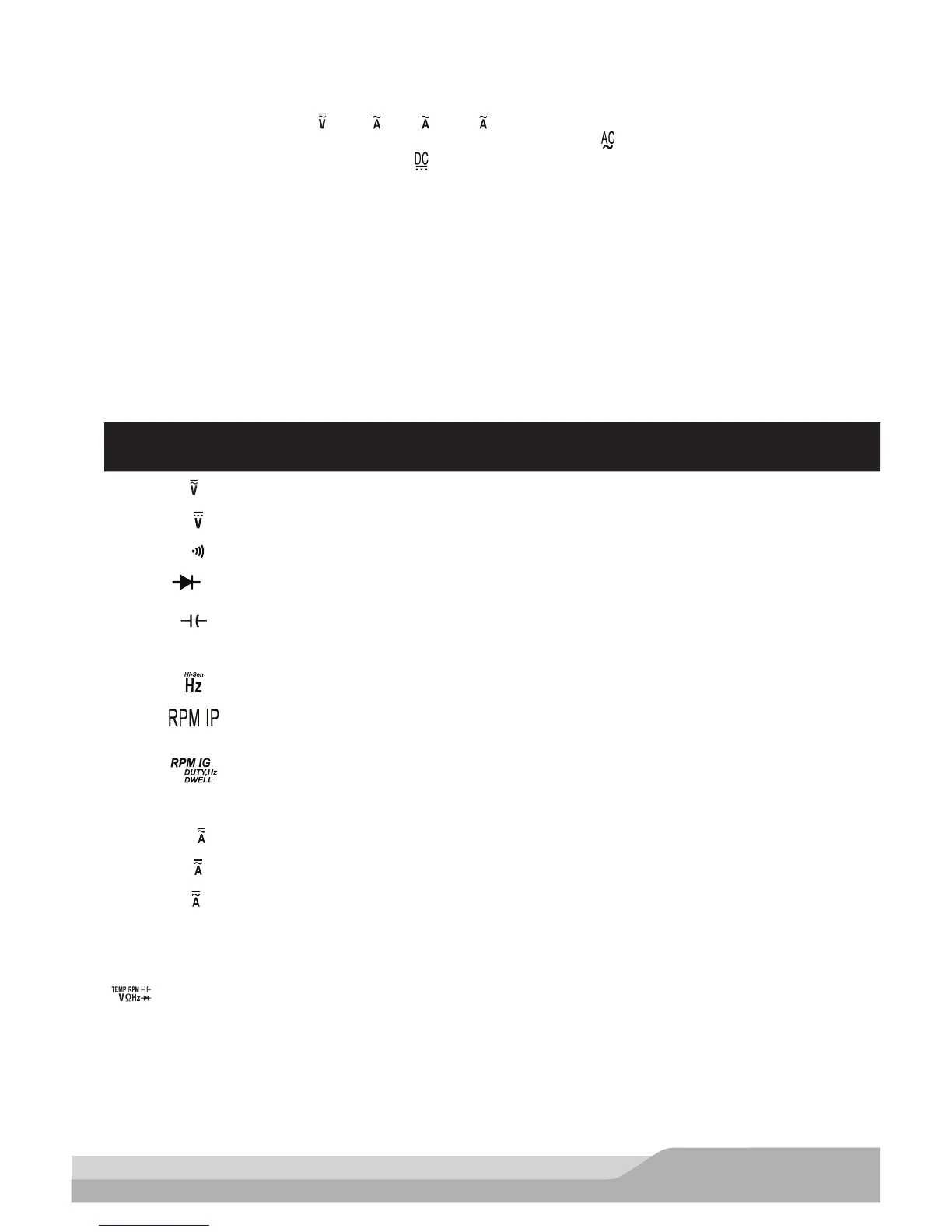
When the rotary switch is in “ “, “10 “, “m ” or “μ ” position, you can press this “DC/AC” button to
switch between DC and AC function; when AC function is selected, “ ” will appear on the display as an
indication; when DC function is selected, “ ” will appear on the display as an indication.
You can press the “DC/AC” button to switch between °C and °F when the rotary switch is in “TEMP”
position. When Celsius temperature measurement is selected, “°C” will appear on the display as an
indication; and when Fahrenheit temperature measurement is selected,“°F” will appear on the display as
an indication.
7. Rotary Switch
Following functions are selected by setting the rotary switch:
Switch
Position Function
Volts DC/AC
m
Millivolts DC only
Ω
Resistance/Continuity test (Ohms)
Diode test
Capacitance (Microfarads)
TEMP Temperature (Fahrenheit and Celsius)
Frequency (non-automotive frequency) measurement (Hertz)
RPM measurement on 2- or 4-stroke engines using the Inductive Pickup on a
spark plug wire.
RPM measurement on 1 to 12 cylinder engines using the test leads in the
primary side of the ignition coil and Duty Cycle, Pulse Width, Hz (automotive),
and Dwell measurement.
10
Current (Amperes) DC/AC
m
Current (Milliamperes) DC/AC
μ
Current (Microamperes) DC/AC
OFF Turns off the meter
8. “ ” Terminal
Input terminal for voltage, resistance, continuity, RPM, diode, frequency, capacitance, temperature, duty
cycle, pulse width and dwell measurements.


 To Next Page