77
13. METER-PC COMMUNICATION SOFTWARE INSTRUCTION
Place the supplied CD on the tray of the CD-ROM drive of your PC and close it. Locate the “EM721.exe” le in
the “EM721-PC” folder on the CD, and double-click this le to run this communication software. Connect the
supplied USB data line to the USB port on the top of the meter, and connect the other end of this USB data
line to a USB port on your PC. Turn on the meter. Then press and hold down the “REL” button on the meter
for about 1 second to turn on the USB communication function; “ ” will appear on the meter screen as an
indication. (NOTE: After you nish using the USB communication function, turn off this function to save battery
power by pressing and holding down this “REL” button for about 1 second.)
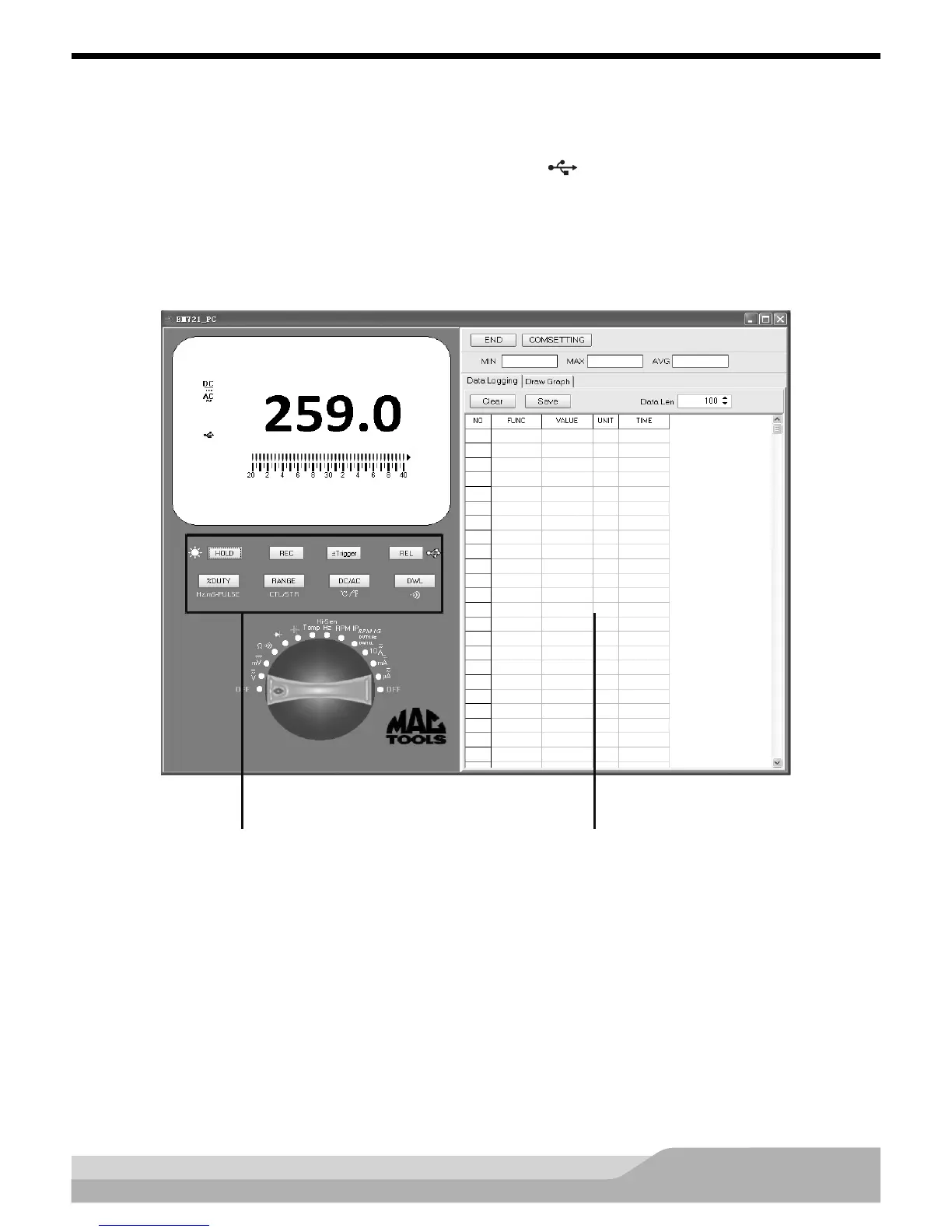
Run the communication software, the following EM721-PC interface will appear:
Readings transferred from the


 To Next Page