38
Battery Voltage Load Test
This test checks the battery’s capacity to deliver sufcient cranking voltage.
12V Battery
Red
Black
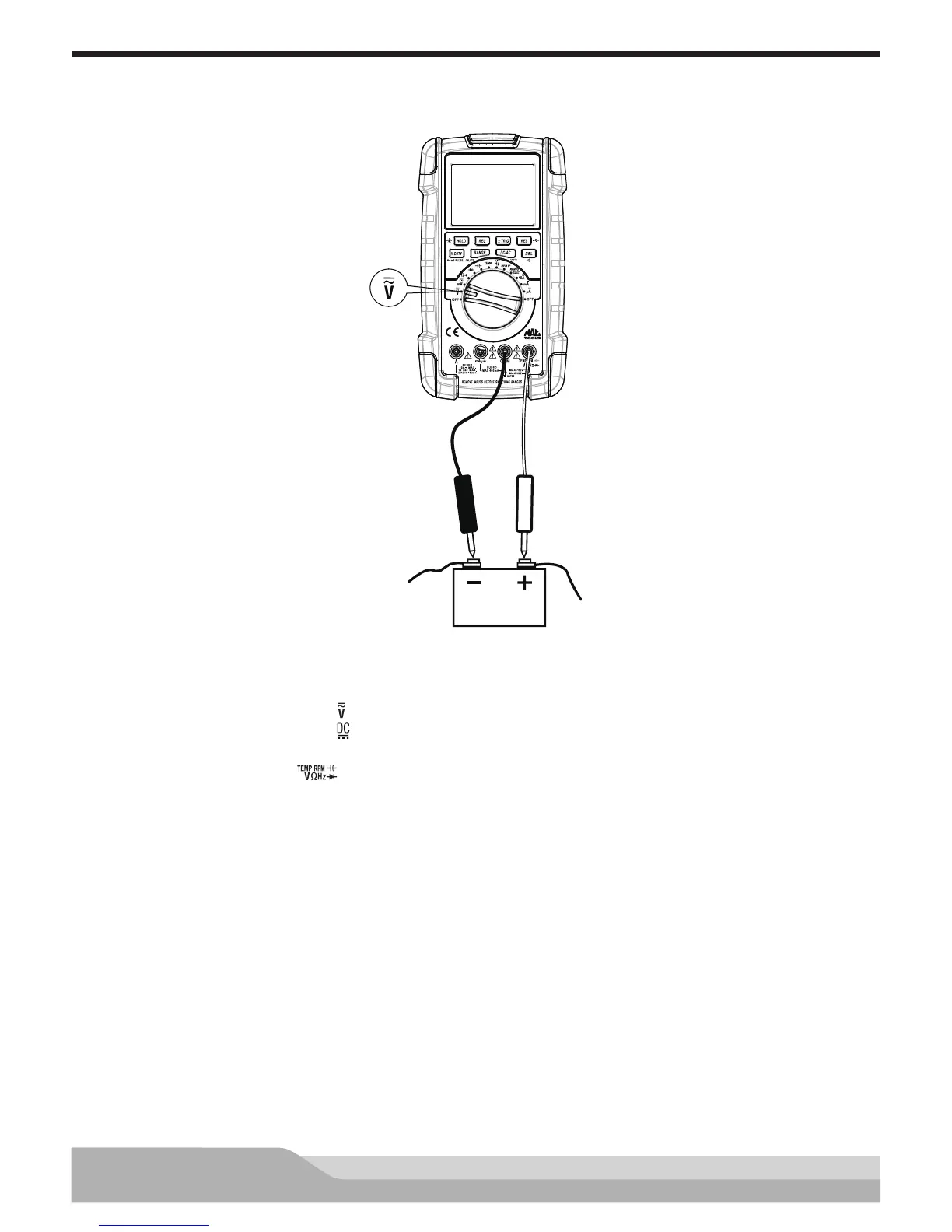
Meter setup to measure voltage load:
• Set the rotary switch to voltage ( ) setting.
• Press the “DC/AC” button until “ ” appears on the display.
• Insert the black lead in the “COM” jack.
• Insert the red lead in the “ ” jack.
Connect:
• Black lead to the negative (-) battery post.
• Red lead to the positive (+) battery post.
Press the “REC” button (selects the MAX.MIN.AVG function).
Disable the ignition so that the engine can’t start and crank the engine for 15 seconds. Check the minimum
reading.
A reading of less than 9.40V at 60°F/16°C indicates a weak battery. Recharge or replace the battery before
testing.


 To Next Page