Chapter 2 Get started 21
Instant Hotspot
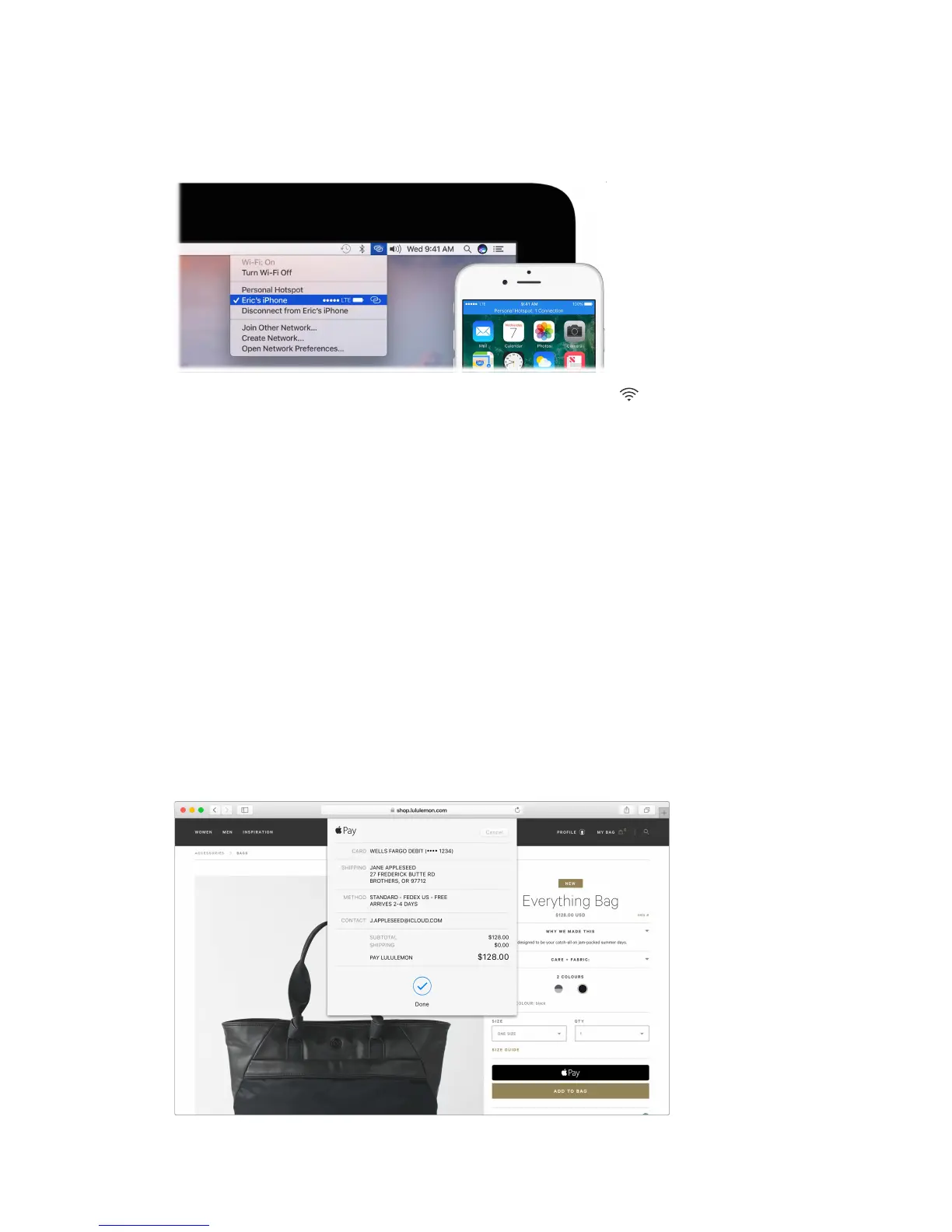
Lost your Wi-Fi connection? Use the Personal Hotspot on your iPhone or iPad to connect your
Mac mini to the Internet.
Note: Personal Hotspot requires an iPhone or a cellular model iPad, with iOS 8 or later.
Connect to your device’s personal hotspot. Click the Wi-Fi status icon i n the menu bar, then
choose your iPhone or iPad from the list of devices that appears. (You don’t need to do anything
on your device—Mac mini connects automatically.)
Check the status of your connection. Look in the Wi-Fi status menu to see the strength of the
cellular signal.
When you’re not using the hotspot, your Mac mini disconnects to save battery life.
To learn more about using Instant Hotspot, messages, phone calls, Universal Clipboard, and
Hando with your Mac mini, open Mac Help (see Mac Help). See the Apple Support article
support.apple.com/HT204681 or go to www.apple.com/osx/continuity.
Apple Pay
The convenience and security of Apple Pay is now available on your Mac. With Apple Pay, your
credit or debit card information is never stored or shared by Apple with the merchant. When you
shop online using Safari, look for a “Buy with Apple Pay” button. Conrm payment using your
iPhone or Apple Watch.
Note: For information about Apple Pay availability and current card issuers, see the Apple Support
articles support.apple.com//HT204916 and www.apple.com/apple-pay/where-to-use-apple-pay.
74% resize factor


 To Next Page
 Loading...