Chapter 3 Apps 32
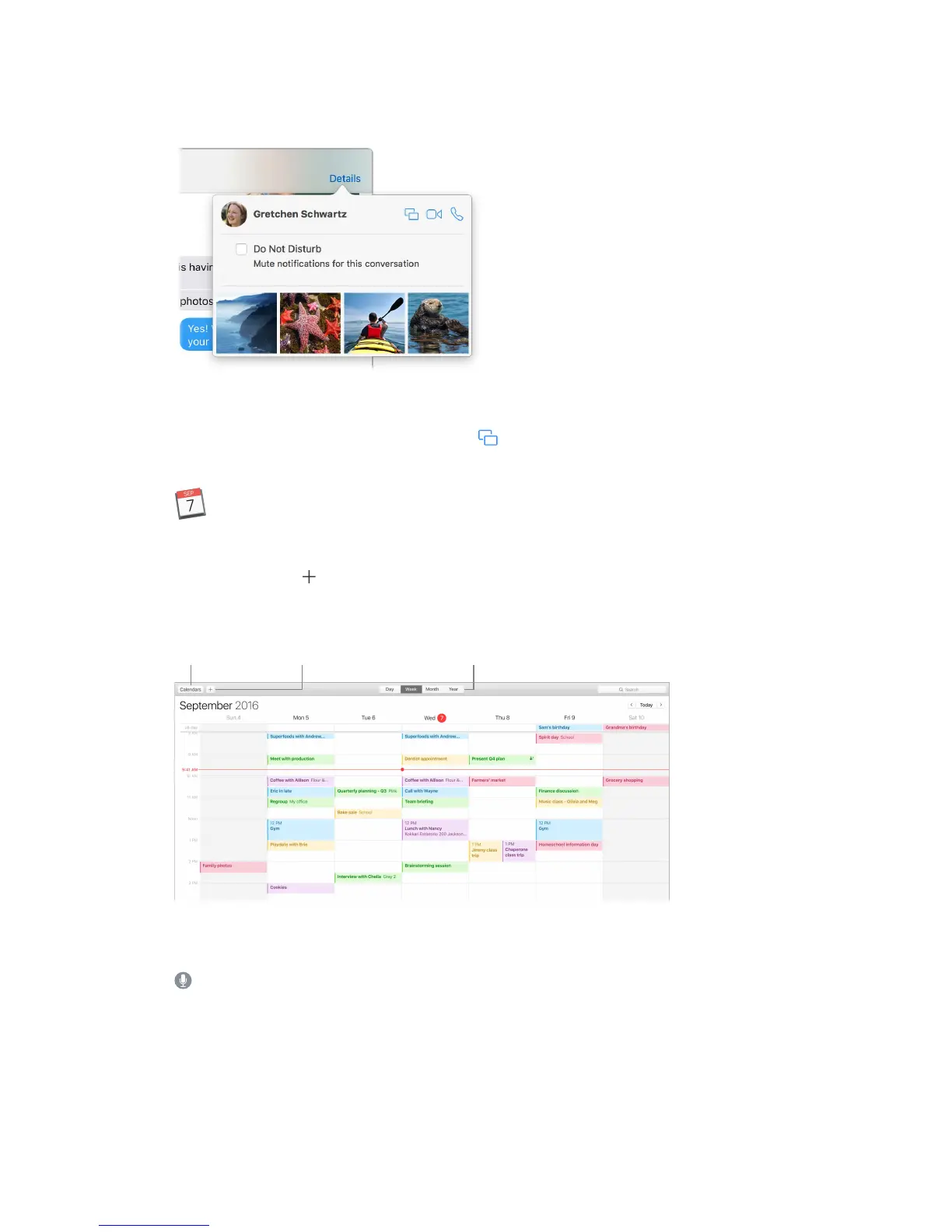
When a text isn’t enough. If your friend also has FaceTime, you can start a FaceTime video or
audio chat right from a conversation in Messages. Just click Details in the message window, then
click the Audio or Video button.
Share your screen. You can share your screen with a friend—and vice versa—and even open
folders, create documents, and copy les by dragging them to the desktop on the shared screen.
Click Details, then click the Screen Share button .
Calendar
Never miss an appointment with Calendar. Keep track of your busy schedule by creating multiple
calendars, and manage them all in one place.
Create events. Click to add a new event. To invite someone, double-click the event, click
the Add Invitees section, then type an email address. Calendar lets you know when your
invitees reply.
calendar view.
See all your calendars—or just a few. Click the Calendars button to see a list of all your
calendars; click the ones you want to see in the window.
Ask Siri. Say something like: “Set up a meeting with Mark at nine in the morning.”
74% resize factor


 To Next Page
 Loading...