Chapter 3 Apps 34
See who’s in your photo albums. The People feature automatically organizes your photo library
by people in your photos. The People album is arranged by how often each person appears
in your library. Make someone a favorite by dragging their photo to the top and they’ll always
appear at the top of the album.
See where you’ve been. Click the Places album to view your photo collection on a world map.
You can zoom in to see exactly where you took each shot.
Tip: You can add location info to any photo. While viewing the photo, click the Info
button , click Assign a Location, then start typing. Choose the location in the list or type it,
then press Return.
iTunes
iTunes makes it easy to organize and enjoy the music, movies, and TV shows you have—and
shop for the ones you want. iTunes includes Apple Music (which lets you listen to millions of
songs on demand), Beats 1 live radio, and Connect, a fun way for fans and artists to interact.
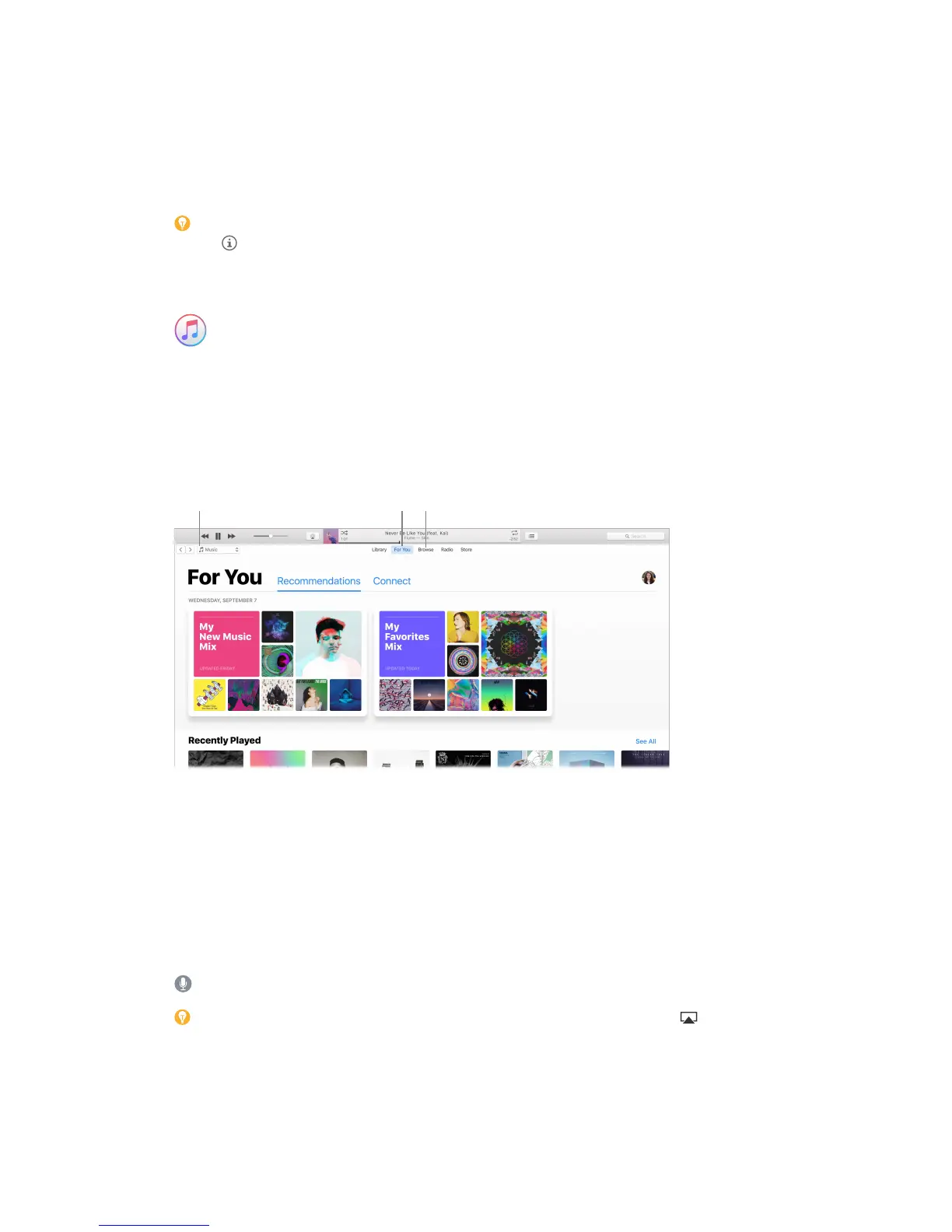
It’s in your library. Your iTunes library contains your music, movies, TV shows, podcasts, iTunes U
content, audiobooks, apps, ringtones, and Internet radio. Click the menu in the top-left corner to
change views.
in your library.
Find your new favorite song. Click For You to browse albums and playlists recommended for you
based on the artists and genres you love. The reorganized, easy-to-understand sections highlight
why each album or playlist was selected for you. For You also shows posts from artists you follow,
so it’s easier than ever to discover new music.
Browse the best of Apple Music. Click Browse to see new music and exclusive releases from
Apple Music. Choose from a huge selection of playlists to nd the perfect mix for any moment.
Tune in. Click Radio to tune in to Beats 1 live or listen to any episode from the Beats 1 family of
shows. Explore the wide variety of music-only stations created for almost every genre of music.
Ask Siri. Say something like: “Play NPR Radio.”
Tip: To play music or radio from a speaker using AirPlay, click the AirPlay icon in the menu
bar and select an available speaker.
74% resize factor


 To Next Page
 Loading...