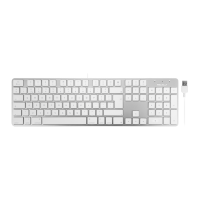
B1 B2 B3
Pair: Fn+P
B1 B2 B3
delete
:Fn+esc
F1 F2 F3 F4
F5 F6 F7 F8 F9 F10 F11 F12
F13 F14 F15 F16
esc
A
4
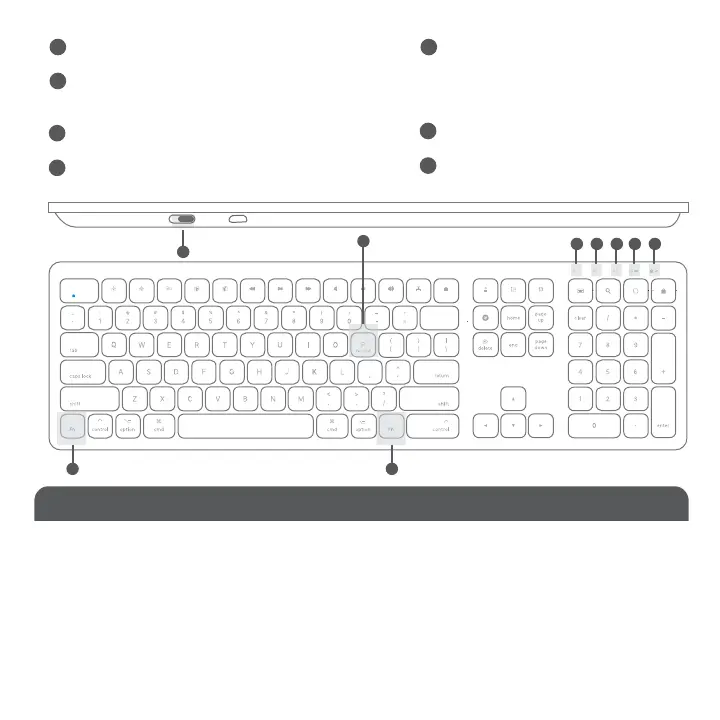
1. Press Fn with one of Bluetooth device keys, B1, B2 and B3 to select a Bluetooth device to use the keyboard
2. The first time using with a Bluetooth device, pairing is needed. After selecting a device, press Fn and P keys
simultaneously, the device LED will flash quickly indicating the keyboard is in pairing mode.
Fn Lock Mode
Press Fn and esc keys simultaneously to lock in Fn mode, so blue colored Function keys are default when
pressed, Fn lock LED is turned on to indicate the Fn Lock mode.
Fn Key, Fn Lock Mode and Shortcuts
On/Off switch
Caps lock: blue
Low battery: light flashing
Light during charging:
red - charging; off - full
Fn lock: blue
Device 2 indicator
Pairing Keys: Press Fn and P simultaneously
Device 3 Indicator
Device 1 indicator
Use of Fn key: Select Bluetooth device, Pair with a device and use blue color keys
1
1
2
2
3
4
6
5
7
7
7 7
3456



 To Next Page