EasyManua.ls Logo

macaroon M1 - User Manual Operations; USB Cable and SIM Card Usage

macaroon M1
13 pages
Print Icon
To Next Page IconTo Next Page
To Previous Page IconTo Previous Page
Loading...
5.
6.
7.
Ma
n
1.
2.
Battery
Displa
Battery
Batte
r
Menu
Stand
b
Menu
n
ualIntrod
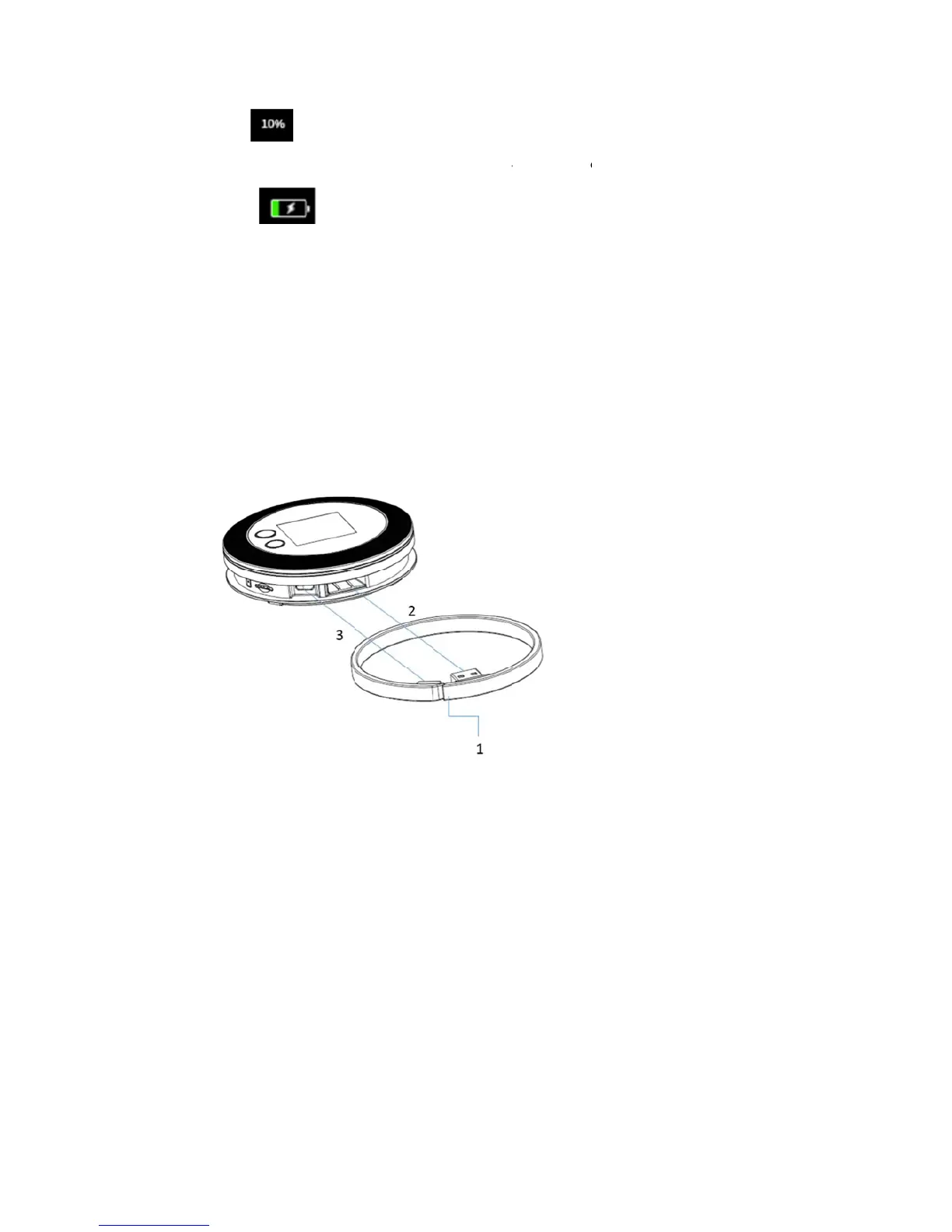
USBCable
1) Takeo
u
theUS
thenit
remov
e
2) Takei
n
port,t
h
insert
e
ExternalSI
M
1) Notsu
yaftercha
r
r
ystatusdi
s
b
ypage(D
a
Screen
uctions
u
tUSBcabl
Bplugwith
canbeuse
e
d.Thenth
n
USBcable
:
h
encirclet
h
e
dtothep
o
M
Card
pporthot
p
r
gingstatus
s
play
a
tausage/T
i
e:Takethe
powerba
n
d.Themic
r
eUSBcabl
e
:
AsPic2s
h
h
eUSBcab
l
o
rtslot.
p
lug.Ifnee
d
andbatte
r
ime/SSID/
K
USBcable
T
n
korwithc
o
r
oUSBplug
e
canbeus
e
h
ows,inser
t
le,justas
P
d
toplugan
r
ybelow20
%
K
eyScrolli
T
ypeAout
a
o
rrespondi
n
oftheUSB
e
dtocharg
e
t
microUSB
P
ic3shows
,
dpullthe
c
%
n
gdisplayi
a
sPic1sho
w
n
gportofc
cablealso
c
e
forother
plugintot
h
tilltheTy
p
ard,please
nscreen)
w
s.Conne
c
c
hargerplu
g
canbe
devices.
h
emicroU
S
p
eAplugca
n
restartth
e
c
t
g
,
S
B
n
be

Other manuals for macaroon M1