8
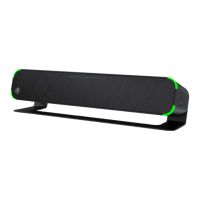
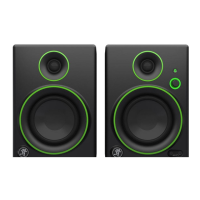
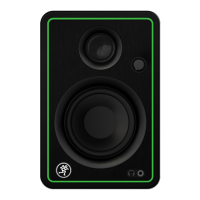
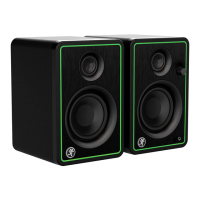
CR2-X CUBE Compact Desktop Speakers
CR2-X CUBE Compact Desktop Speakers
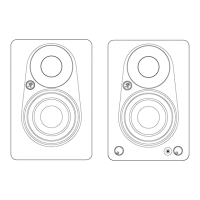
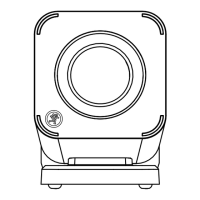
1. Power Connector Connect the supplied power adapter
to this jack.
2. Power Switch Turns the CR2-X Cube on and o.
The front LED will illuminate when powered.
3. USB-C Port An interface allowing you to stream audio
to the CR2-X Cube via computer. Connect the USB-C
side of a USB cable to the CR2-X Cube and the USB-A
side to the computer’s USB port.
4. Line Input Connect a line-level signal using
an /8" connector.
5. RCA Connectors (±) Connect the black (–) and red (+)
RCA cables from the active speaker’s ± RCA connectors
to the passive speaker’s ± RCA connectors.
6. To Sub Connect to a subwoofer using an /8" connector.
Note: When connected, the CR2-X Cube automatically
shifs to Sub Mode, resulting in a roll-o of the low
frequencies.
7. Phones Output Connect stereo headphones here.
8. Volume Tap or slide to adjust the overall output level.
The accompanying LEDs display the volume level.
Tapping the far lef side will mute the output.
9. Input Selector Selects which input – USB, /8"
or Bluetooth – is active. The Bluetooth may disconnect
when aected by Electrostatic Discharge [ESD].
Manually reconnect the Bluetooth connection.
CR2-X Cube Descriptions –
1. Toma de corriente Conecte en esta toma el adaptador
de corriente incluido.
2. Interruptor Power Le permite encender y apagar este
CR2-X Cube. El piloto frontal se iluminará cuando la unidad
esté encendida.
3. Puerto USB-C Un interface que le permite enviar audio
a el CR2-X Cube a través de un ordenador. Conecte
el extremo USB-C del cable USB a este CR2-X Cube
y el extremo USB-A al puerto USB del ordenador.
4. Entrada Line Conecte a esta toma, señal de nivel usando
una clavija de 3,5 mm.
5. Conectores RCA (±) Conecte los cables con clavija RCA
negro (–) y rojo (+) desde las tomas RCA ± del altavoz
activo a las correspondientes del altavoz pasivo.
6. To Sub / Salida Out Conecte esta toma a un subwoofer
por medio de una clavija de 3,5 mm. Nota: Cuando esté
conectado, el CR2-X Cube cambiará automáticamente al
modo Sub, lo que producirá una reducción de las bajas
frecuencias.
7. Phones Conecte aquí unos auriculares stereo.
8. Pulse o deslice Volume Para ajustar el nivel de salida
global. Los pilotos que están al lado le mostrarán
el nivel de volumen. El pulsar en el extremo izquierdo
anulará la salida.
9. Selector de entrada Le permite elegir qué entrada – USB,
3,5 mm o Bluetooth – estará activa. La conexión Bluetooth
puede desconectarse si se ve afectada por una descarga
de electrostática [ESD]. En ese caso, reconecte
manualmente la conexión Bluetooth.
Descripción Del CR2-X Cube –
1 64
7
5 52
3
2
8
8
9
9


 To Next Page
 Loading...