Need help?
Do you have a question about the Mackie ONYXGO Mic and is the answer not in the manual?
Warns about permanent hearing loss from high noise levels and lists permissible exposure limits.
Warns against exposing the battery to excessive heat like sunlight or fire.
Cautions about explosion risk if the battery is replaced incorrectly.
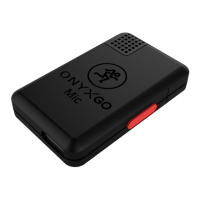
Connect smartphone/tablet to OnyxGO Mic via Bluetooth.
Open the app and adjust gain, EQ, FX, noise reduction, and video parameters.
Start recording using the side button or the device.
End recording using the side button or the device.
Specifies the microphone is omni-directional.
 General
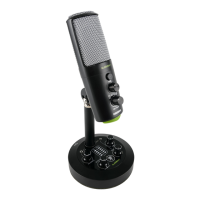
| Type | USB Microphone |
|---|---|
| Polar Pattern | Cardioid |
| Bit Depth | 24-bit |
| Sample Rate | 48 kHz |
| Connectivity | USB-C |
| Headphone Output | Yes |
| Connector | USB-C |
| Color | Black |
| Power Supply | USB bus-powered |

 To Next Page