6 7
Accessories and Reorder Part Numbers
• AdaptDx Pro Comfort Guard Hygienic Eyecup Covers (25 Pack) – Reorder # 10340
• AdaptDx Pro Comfort Guard Hygienic Eyecup Covers (10 Pack) – Reorder # 10339
• Adjustable Head Strap with Padded Liner – Reorder # 10384
• Padded Liner for Head Strap – Reorder # 10385
• Conforming Eyecups – Reorder # 10386
• Handheld Controller with Rechargeable Battery – Reorder # 10387
• Controller Cable – Reorder # 10388
• Wall Charger – Reorder # 10389
Operation
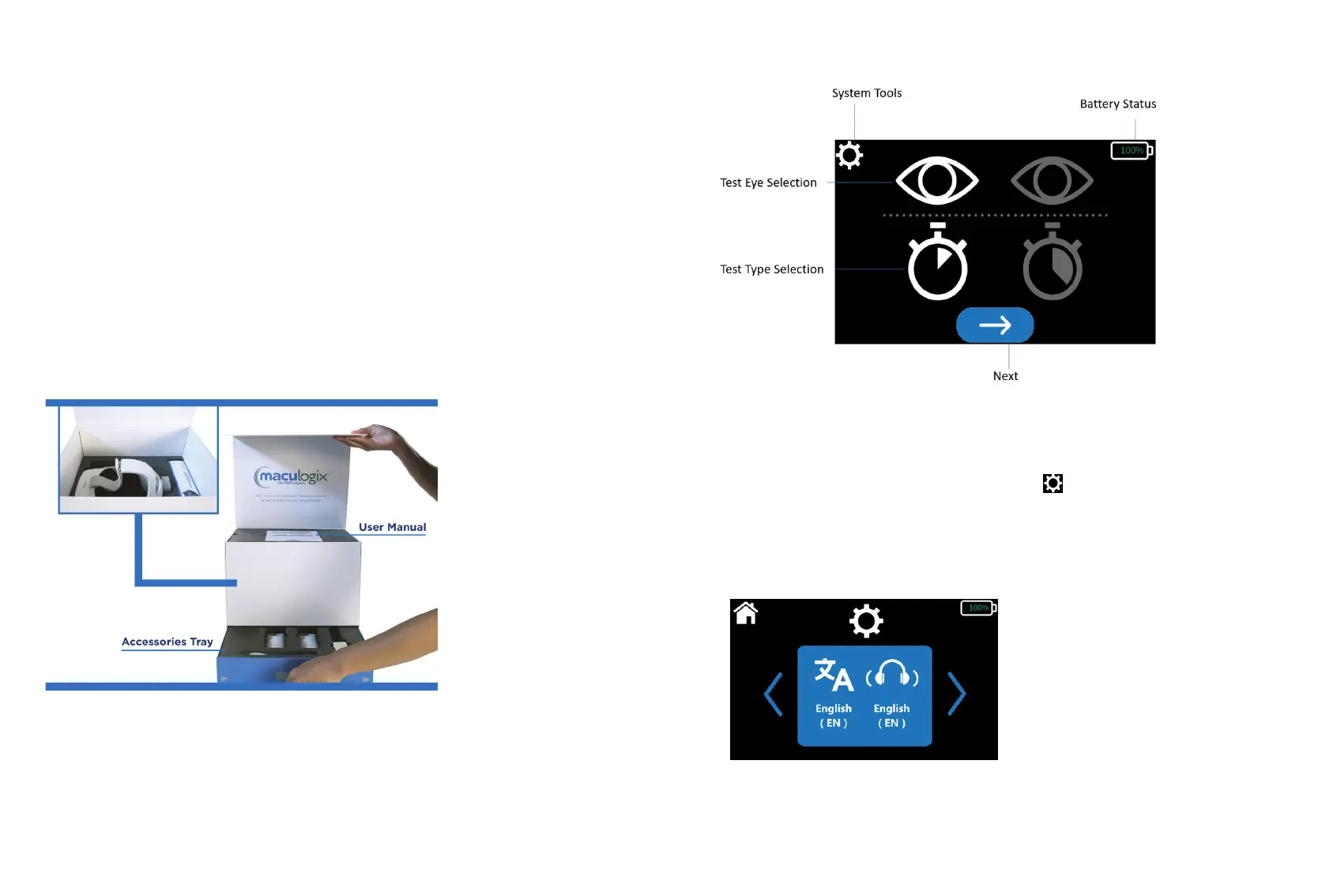
Your device comes inside this neatly packed box. Your accessories are located in a special blue drawer on
the bottom of the box. Look for the silver tab and pull to retrieve the accessories.
Make sure your device is fully charged prior to operation. Connect the handheld controller to the
USB-C wall charger and plug the charger into an electrical outlet. A solid green light will illuminate on
the handheld controller when the device is fully charged. Disconnect the handheld controller from the
charger. Plug the straight end of the USB-C cable into the handheld controller and the angled end of the
cable into the device. Lastly, you can start the device by holding down the AdaptDx Pro power button
until the green light turns on.
Get to Know Your Home Screen
First-time Use
You can enter your default settings when you turn on your AdaptDx Pro for the rst time. The device will
automatically default to the options selected the next time you turn on your device.
Via your handheld controller, select the “System Tools” icon on at the top of your screen. Use the
arrows on the left and right to scroll to the item you want to set or edit defaults.
Select language
Select the “System Tools” icon at the top of your screen. Scroll through setup options and choose “Select
Language.”



 To Next Page