
EasyManua.ls Logo

MAD DOG GK850 Series - User Manual

MAD DOG GK850 Series
26 pages
Go to English
Print Icon
To Next Page IconTo Next Page
Loading...
Instrukcja obsługi
iwarunki gwarancji
Operating Manual
& Warranty Terms
*Oznacza kolor urządzenia
*Indicates the colour of the device
BEZPRZEWODOWA
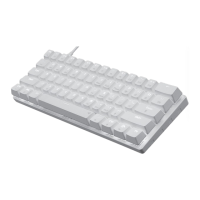
KLAWIATURA GAMINGOWA
GK*
GK* WIRELESS
GAMING KEYBOARD

Questions and Answers

Summary

Safety and Hazard Conditions

Device Description

Keyboard Components Overview

Identifies key physical parts of the keyboard, including ports and accessories.

Technical Data

Initial Start-Up

Wired Connection Setup

Instructions for connecting the keyboard via USB cable.

2.4 GHz Wireless Setup

Steps for establishing a 2.4 GHz wireless connection using the receiver.

Bluetooth Wireless Setup

Guide to connecting the keyboard via Bluetooth technology to multiple devices.

Operating the Device

Keyboard Connectivity Management

Details on switching between wireless modes and pairing.

Keyboard Backlight Customization

Explains how to control backlight modes, brightness, and animations.

Function and Special Key Usage

Describes the use of function keys, special keys, and additional keyboard features.

Device Reset and Status Indicators

Information on key indicators and how to perform a factory reset.

Controller Settings

Backlight and Profile Configuration

Options for changing backlight modes, brightness, color, and managing profiles.

Key Assignment and Macro Editing

Guide to reassigning functions to keys and creating custom keyboard macros.

Charging the Keyboard

Cleaning and Maintenance

Troubleshooting Guide

Declaration of Conformity

Environmental Disposal Information

Warranty Conditions

MAD DOG GK850 Series Specifications

General IconGeneral
BacklightRGB
ConnectivityWired
Polling Rate1000Hz
Cable Length1.8m
InterfaceUSB